
MemoSonic: Building an Audio Memory Game


Key Takeaways
It Started with a Simple Game
Picture this: a rainy Sunday afternoon, kids bouncing off the walls, and a parent desperately trying to find something educational yet fun. We pulled out the classic memory card game - flip two cards, find matching pairs.
The kids loved it. But something clicked in my head: What if instead of matching pictures, we matched sounds?
That question sparked MemoSonic.
The Problem: Visual Learning Isn't Everything
Traditional memory games are purely visual. You see an image, remember its position, find its pair. Great for training visual memory, but what about:
- Auditory learners who process information better through sound?
- Young musicians trying to recognize chords, scales, or instrument timbres?
- Visually impaired children who can't participate in traditional memory games at all?
We realized there was a gap. A big one.
What We Wanted to Build:
| Traditional Memory | MemoSonic |
|---|---|
| Visual only | Sound-first approach |
| Static images | Interactive audio feedback |
| Limited accessibility | Inclusive by design |
| One learning style | Multiple categories for different interests |
Building MemoSonic: From Idea to App
Choosing the Tech Stack
We needed something that would:
- Work on both iOS and Android
- Handle audio playback smoothly
- Feel responsive and polished
Flutter was the obvious choice. Cross-platform, beautiful animations out of the box, and a fantastic ecosystem for audio libraries.
The Audio Challenge
Here's something most developers don't think about: audio is hard.
Not the playback itself - that's straightforward. The hard part is:
- Timing - When a player taps a card, the sound needs to play instantly. Even 100ms delay feels wrong.
- Overlapping sounds - What happens when someone taps two cards quickly? Do sounds cut off? Layer?
- Memory management - 100+ audio files across categories. Load them all? Stream them? Preload the current level?
We went through several iterations:
Version 1: Load all audio upfront
→ Problem: 3-second app startup, memory issues

Version 2: Stream audio on demand
→ Problem: Noticeable delay on first play

Version 3 (Final): Preload current category, lazy-load others
→ Sweet spot of performance and responsiveness
The Content Pipeline: Generating 300+ Audio Assets
Here's where it gets nerdy (in the best way).
When we started MemoSonic, we had a problem: we needed hundreds of audio files. 168 chord sounds. 14 scale recordings. 8 rhythm patterns. Individual notes. Where do you even get that?
Answer: You generate them programmatically.
Synthesizing Piano Chords with FluidSynth
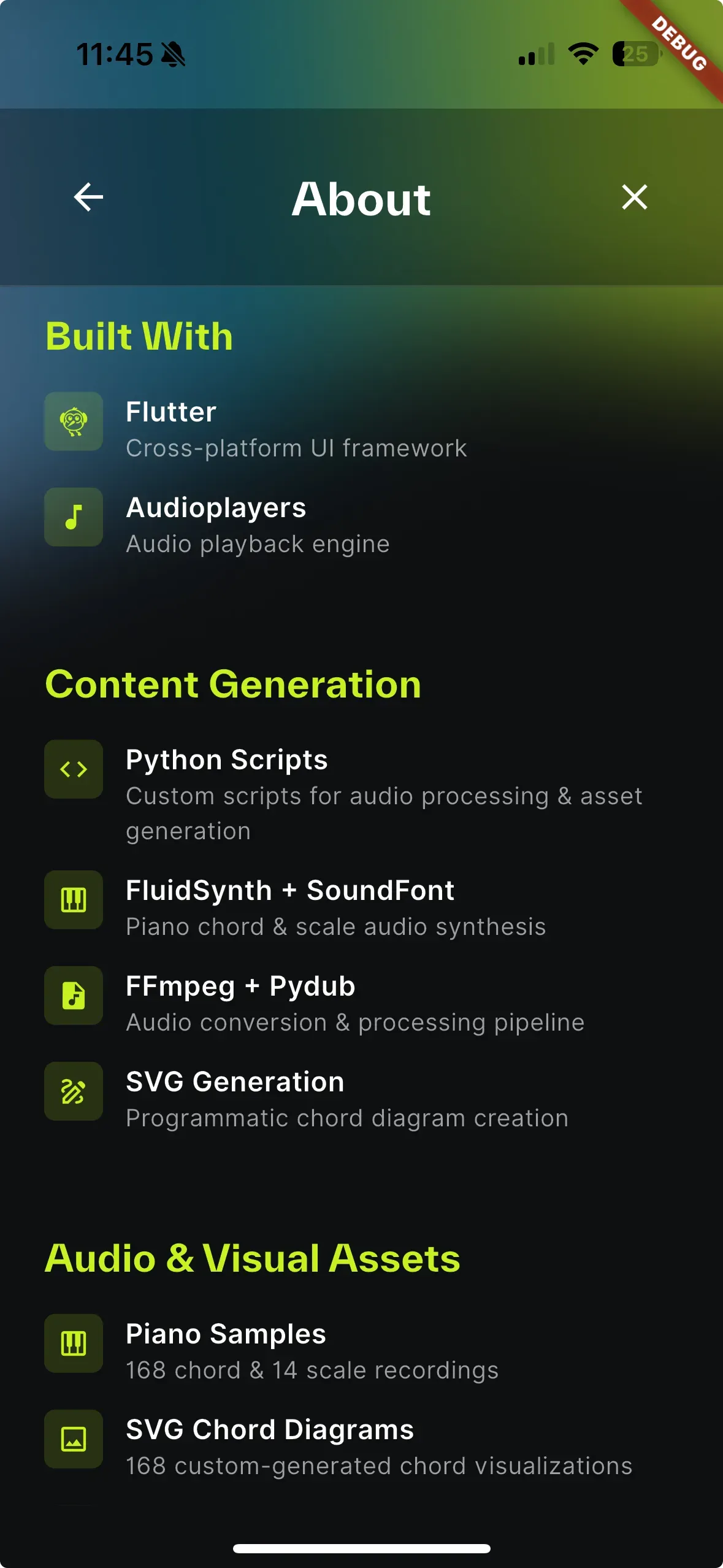
Instead of recording a pianist playing every chord (expensive, time-consuming), we wrote Python scripts that:
- Generate MIDI files with the exact notes for each chord
- Render them through FluidSynth using a high-quality Salamander Grand Piano soundfont
- Convert to MP3 via FFmpeg
# Chord intervals (semitones from root)
CHORD_TYPES = {
    "maj": [0, 4, 7],           # Major: root, major 3rd, perfect 5th
    "min": [0, 3, 7],           # Minor: root, minor 3rd, perfect 5th
    "7": [0, 4, 7, 10],         # Dominant 7th
    "m7": [0, 3, 7, 10],        # Minor 7th
    "maj7": [0, 4, 7, 11],      # Major 7th
    "aug": [0, 4, 8],           # Augmented
    "dim": [0, 3, 6],           # Diminished
}
12 root notes × 7 chord types = 84 chords. Add enharmonic equivalents (C# = Db, etc.) and we hit 168 unique chord files.
The pipeline:
MIDI generation (midiutil)
    ↓
FluidSynth + Salamander Piano SF2
    ↓
WAV file
    ↓
FFmpeg MP3 encoding
    ↓
Final audio asset
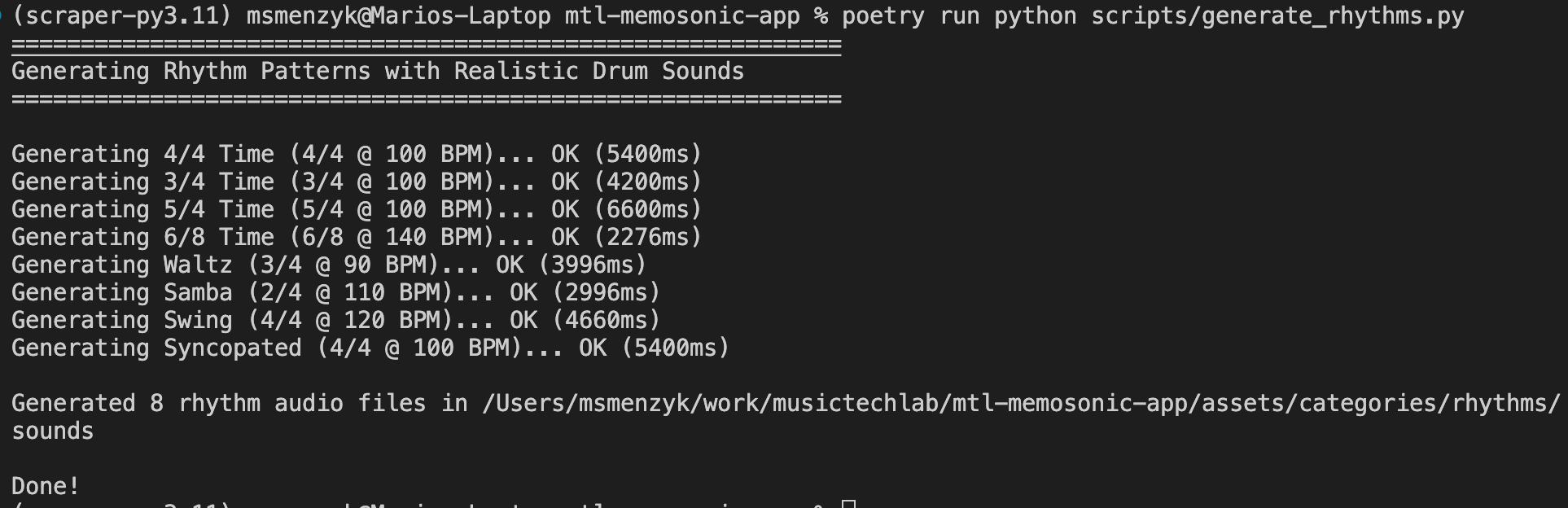
Synthesizing Drum Patterns from Scratch
The rhythm category was even more interesting. We didn't use samples at all - we synthesized every drum sound mathematically.
def generate_kick(duration_ms=150):
    """Generate a punchy kick drum sound"""
    for i in range(num_samples):
        t = i / SAMPLE_RATE
        # Pitch envelope: starts high, drops quickly
        freq = freq_end + (freq_start - freq_end) * math.exp(-decay_rate * t)

        # Main tone with pitch drop
        tone = math.sin(2 * math.pi * freq * t)

        # Add click transient at the start
        if t < 0.005:
            click = (1 - t / 0.005) * 0.5
        ...
Kick drum - A sine wave that rapidly drops in pitch (150Hz → 50Hz) with a click transient.
Snare drum - Shell resonance (170Hz with harmonics) + attack transient (450Hz) + filtered noise for the snare wires. Plus a touch of room reverb.
Hi-hat - White noise mixed with metallic high-frequency tones (6kHz, 8kHz, 10kHz), shaped with ADSR envelopes.
Then we programmed the actual rhythm patterns:
RHYTHMS = [
    ("4_4", "4/4 Time", "4/4", 100, [
        (0, "kick", 0),      # Beat 1
        (1, "snare", -2),    # Beat 2
        (2, "kick", -2),     # Beat 3
        (3, "snare", -2),    # Beat 4
        # Off-beat hi-hats
        (0.5, "hihat", -6),
        (1.5, "hihat", -6),
        ...
    ]),
    ("swing", "Swing", "4/4", 120, [
        # Triplet-based timing for swing feel
        (0.66, "hihat", -6),  # Swung eighth
        ...
    ]),
]
8 rhythm patterns, each with its own BPM, time signature, and accent patterns.
Pure Tones for Note Training
For the Notes category, we used pydub's sine wave generator:
NOTES = [
    ("c", "C", 261.63),  # C4 (Middle C)
    ("d", "D", 293.66),  # D4
    ("e", "E", 329.63),  # E4
    ...
    ("c_octave", "C (Octave)", 523.25),  # C5
]

def generate_note_audio(frequency, duration_ms):
    tone = Sine(frequency).to_audio_segment(duration=duration_ms)
    tone = tone.fade_in(50).fade_out(200)  # Avoid clicks
    return tone
Simple, clean, and perfect for ear training.
Post-Processing: Cutting, Trimming, Normalizing
Raw generated audio isn't always game-ready. We wrote additional scripts:
Cut scales to ascending only - Original scales went up AND down. Too long. We cut them to just the ascending portion:
def cut_to_ascending(file_path):
    audio = AudioSegment.from_mp3(file_path)
    half_point = len(audio) // 2
    ascending_only = audio[:half_point]
    ascending_only.export(file_path, format="mp3")
Trim chord arpeggios - Some chords had unwanted arpeggio intros. FFmpeg to the rescue:
ffmpeg -y -i chord.mp3 -ss [start_time] -acodec libmp3lame chord_trimmed.mp3
Batch update SVG colors - Our chord diagrams needed color adjustments to match the app theme. Regex-based batch processing:
COLOR_REPLACEMENTS = {
    '#f3f8f3': '#000000',  # Inactive keys: light → dark
    '#b3cc57': '#C6F222',  # Active keys: old green → MTL lime
}
The Numbers
By the end, our content pipeline generated:
| Category | Files | Method |
|---|---|---|
| Chords | 168 audio + 168 SVG | MIDI → FluidSynth → FFmpeg |
| Scales | 14 audio + 14 SVG | MIDI → FluidSynth → FFmpeg |
| Notes | 8 audio + 8 SVG | pydub sine wave synthesis |
| Rhythms | 8 audio + 8 PNG | Mathematical drum synthesis |
| Animals | 18 audio + 18 PNG | Curated library |
| Instruments | 8 audio + 8 PNG | Curated samples |
Total: 300+ assets, mostly generated programmatically.
Why This Matters
Could we have licensed a chord library? Sure. But:
- Consistency - Every chord sounds identical in timbre, velocity, duration
- Customization - Need a longer sustain? Change one variable, regenerate
- No licensing headaches - We own every bit of audio
- Educational value - We actually understand what we're teaching
Plus, writing a drum synthesizer from scratch is just fun.
The Categories: More Than Just Music
While we started with music education in mind, we quickly realized the concept works for much more.
Musical Categories
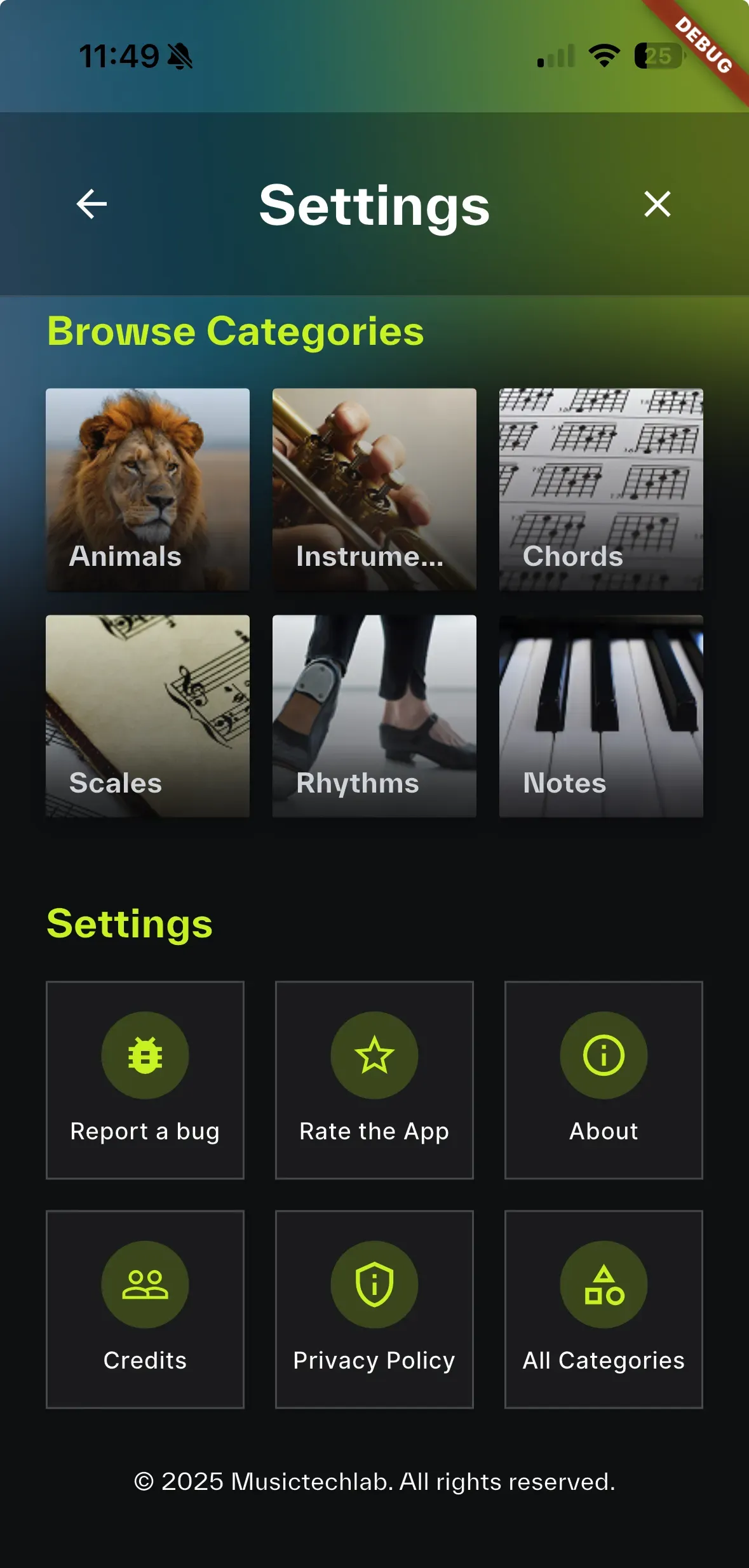
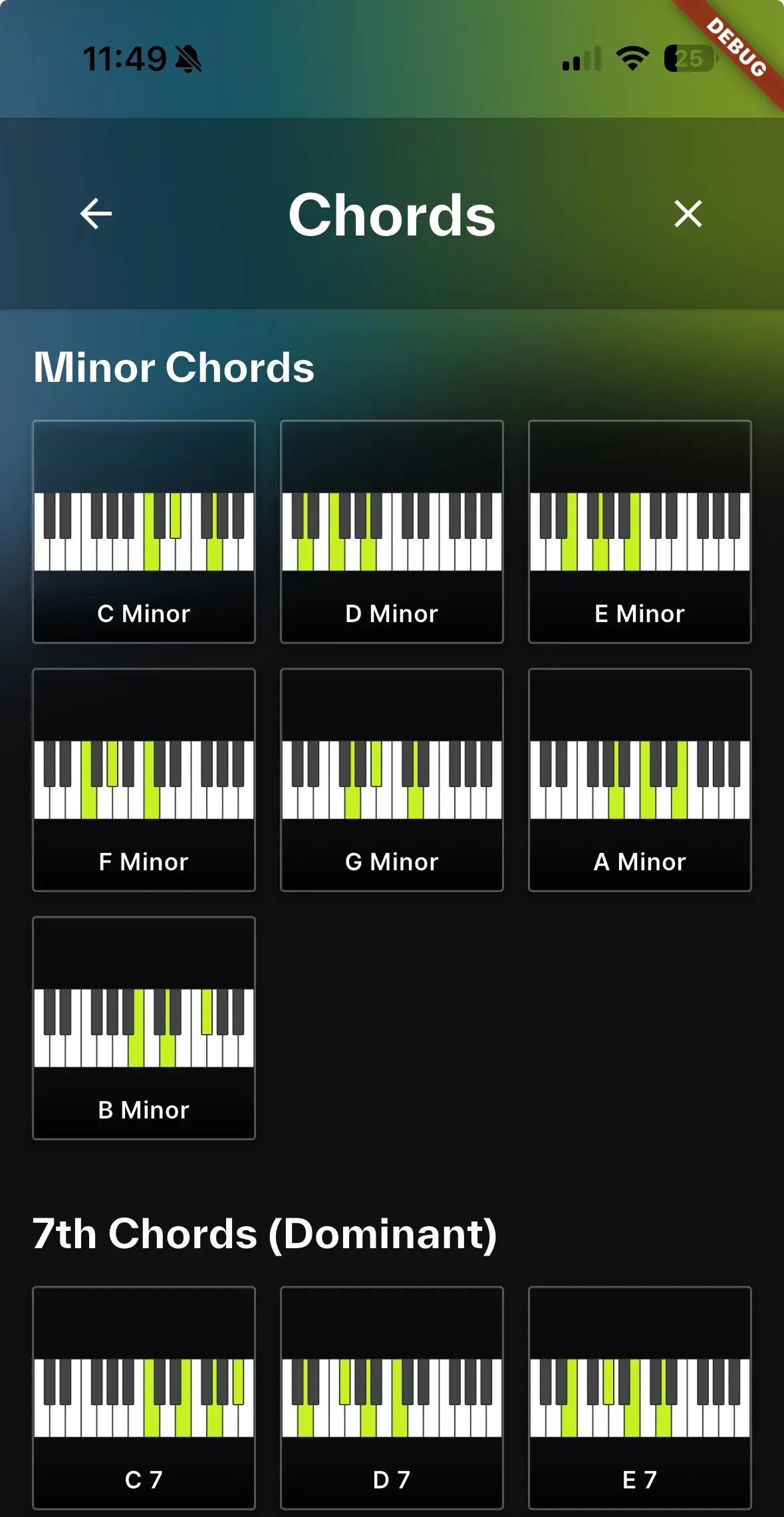
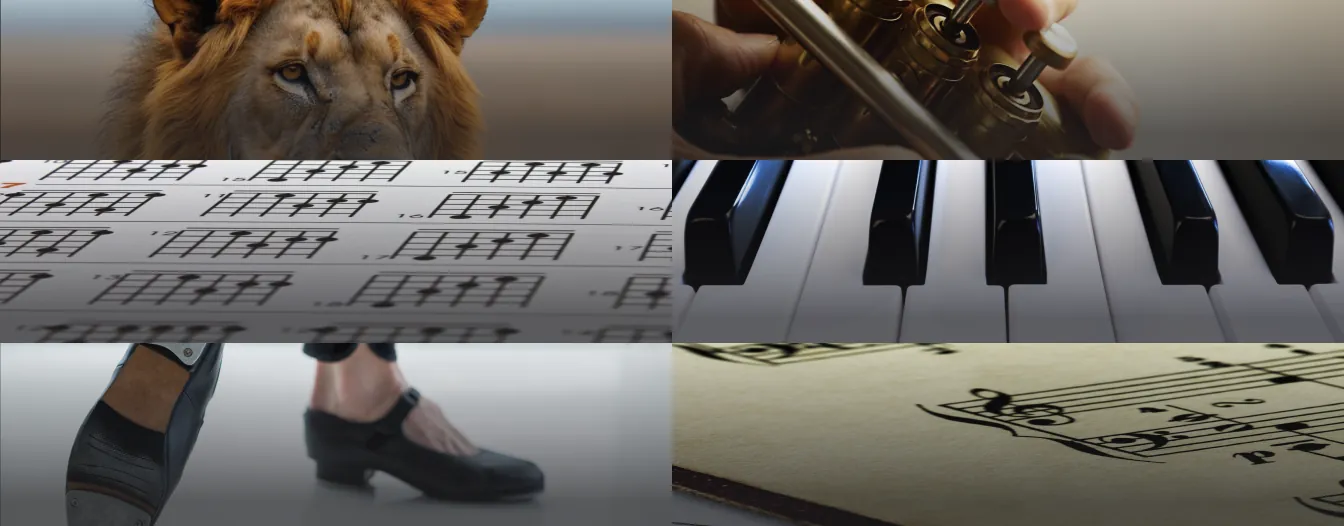
Chords - Can you tell the difference between a major and minor chord? What about diminished vs. augmented? This category trains your ear to recognize the emotional quality of different chord types.
Scales - From the bright C Major to the melancholic A Natural Minor, players learn to identify scales by their unique character.
Notes - Perfect for beginners learning to identify individual pitches on the musical staff.
Rhythms - 3/4 waltz? 4/4 rock beat? Syncopated funk? Train your rhythmic ear.
Beyond Music
Animals - 18 animal sounds, from the roar of a lion to the chirp of a bird. Perfect for younger kids or anyone who just wants a fun challenge.
Instruments - Can you distinguish a trumpet from a saxophone? A violin from a cello? Harder than you'd think!
The Game Modes: Flexibility Matters
Not everyone learns the same way. That's why MemoSonic offers two distinct game modes:
Memosonic Mode (Sound-First)
This is the heart of the app. Tap a card, hear a sound. Remember that sound. Find its match.
1. Tap card → Hear sound (no visual)
2. Tap another card → Hear second sound
3. Match? → Cards reveal and stay
4. No match? → Cards flip back, remember the sounds!
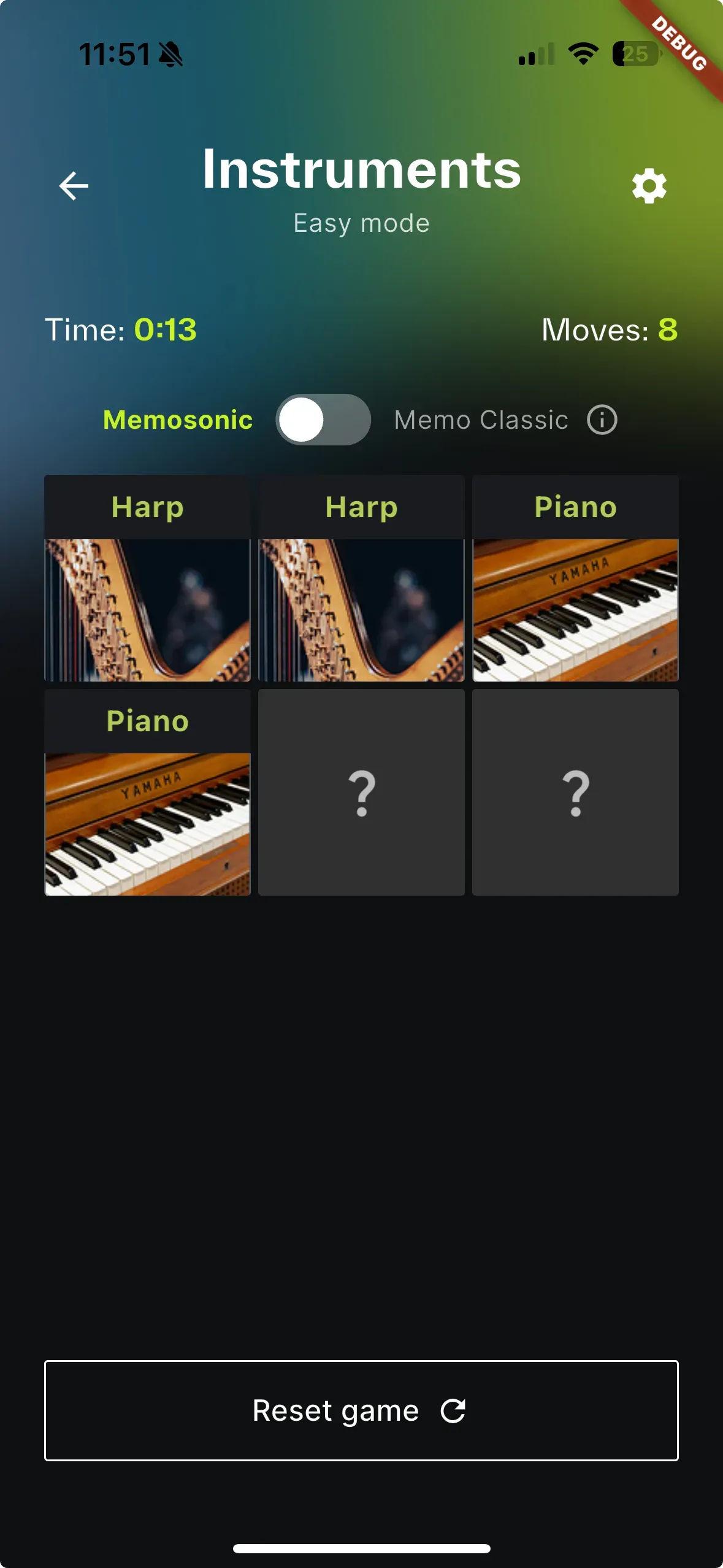
Memo Classic Mode (Visual-First)
For those who want a traditional experience, or as a comparison to understand how much harder audio matching is!
1. Tap card → Image briefly appears (1 second)
2. Tap another card → Second image appears
3. Match? → Cards stay revealed
4. No match? → Images hide, remember positions!
Difficulty Levels: Progressive Challenge
We designed three difficulty levels, each carefully balanced:
| Level | Cards | Pairs | Estimated Time |
|---|---|---|---|
| Easy | 6 | 3 | 2-3 minutes |
| Normal | 12 | 6 | 5-7 minutes |
| Hard | 20 | 10 | 10-15 minutes |
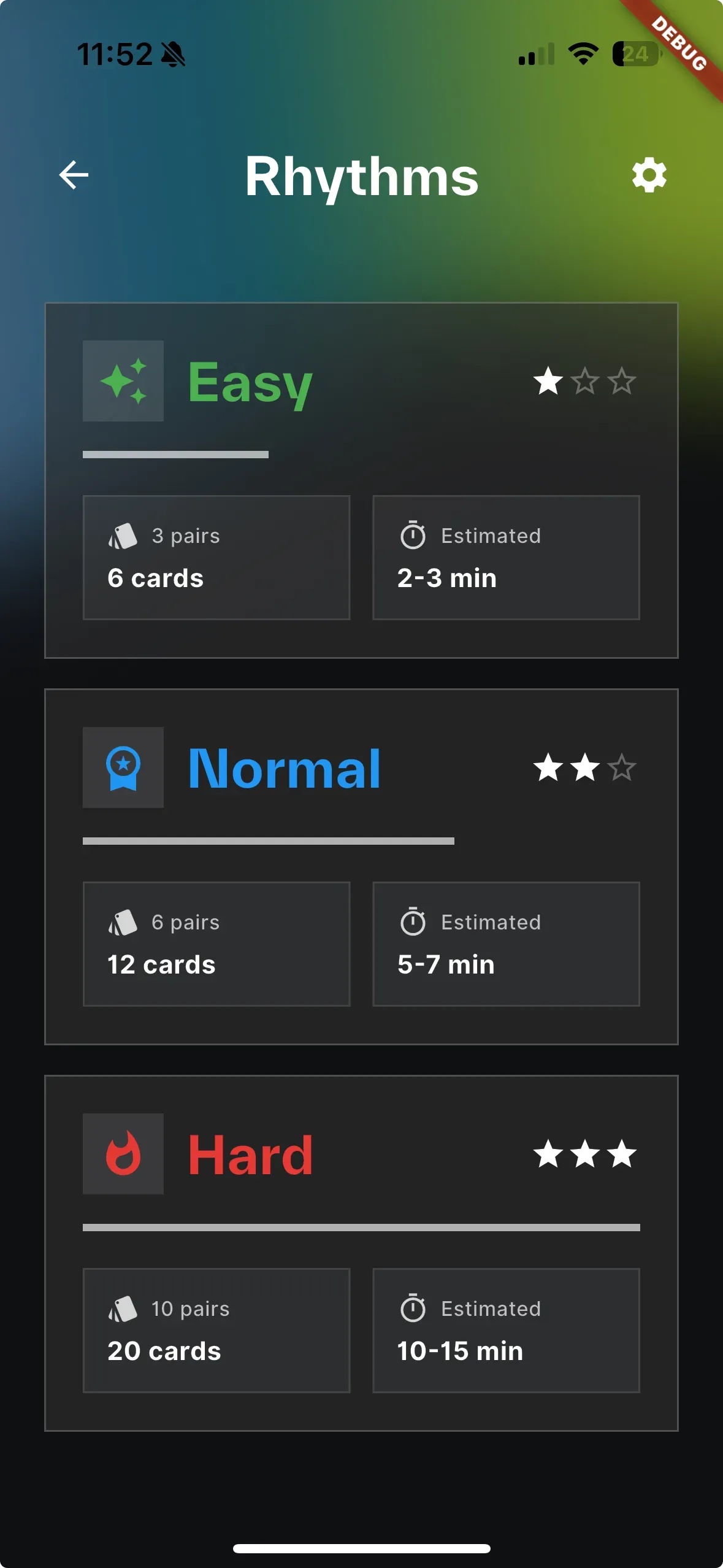
The jump from 6 to 12 cards isn't just "twice as hard" - it's exponentially more challenging. Your brain can hold about 7 items in working memory. At 12 cards, you're constantly pushing that limit.
At 20 cards? It's a real workout.
Accessibility: Designing for Everyone
Here's where it gets important.
The Visually Impaired Perspective
Traditional memory games are impossible for blind or visually impaired players. The entire mechanic relies on seeing and remembering visual positions.
MemoSonic flips this on its head.
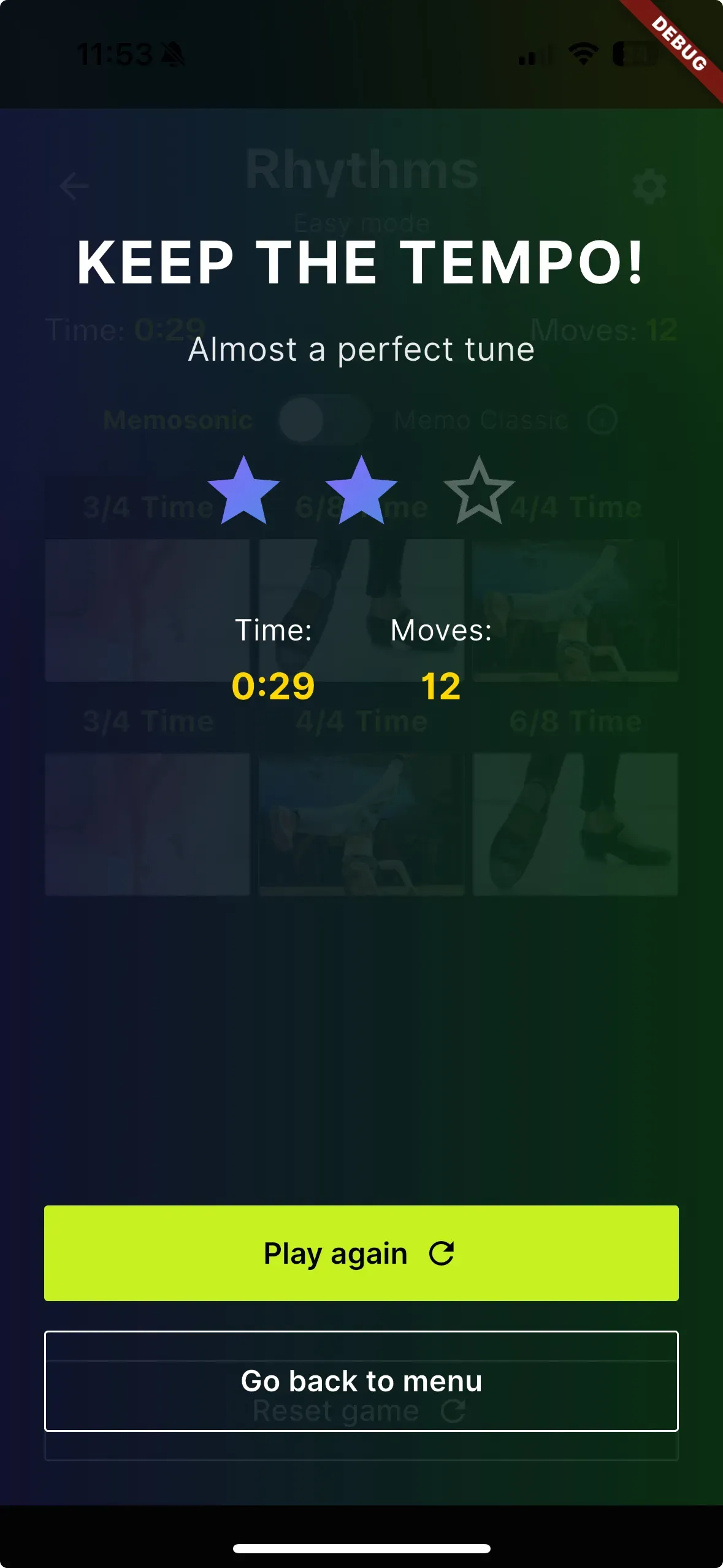
In Memosonic mode, vision is secondary. You're listening, remembering sounds, matching audio. A visually impaired player can:
- Navigate the grid using screen reader or spatial memory
- Tap cards to hear sounds
- Match based purely on audio memory
- Receive audio feedback on success/failure
Design Decisions for Accessibility
We made several deliberate choices:
High Contrast UI
- Dark background (#0E0F11)
- Bright lime yellow accents (#C6F222)
- Clear white text
- No reliance on color alone for meaning
Large Touch Targets
- Cards are generously sized
- Buttons have ample padding
- No precision tapping required
Audio Feedback
- Every interaction has sound
- Success/failure clearly distinguishable
- No silent failures
Simple Navigation
- Linear flow: Home → Category → Level → Game
- Back button always available
- No complex gestures required
The Technical Deep Dive (For Fellow Developers)
Project Architecture
lib/
├── main.dart                    # Entry point, splash screen
├── core/
│   ├── routes.dart              # GoRouter navigation
│   ├── theme.dart               # Material 3 dark theme
│   └── game_utils.dart          # Category definitions, game data
├── features/
│   ├── home_screen.dart         # Category selection grid
│   ├── level_screen.dart        # Difficulty picker
│   ├── game_screen.dart         # Main gameplay
│   └── settings_screen.dart     # Settings hub
└── widgets/
    └── app_logo.dart            # Reusable logo component
Key Dependencies
dependencies:
  flutter_riverpod: ^3.0.1    # State management
  go_router: ^16.3.0          # Navigation
  just_audio: ^0.10.5         # Primary audio engine
  audioplayers: ^6.1.0        # Alternative audio playback
  flutter_svg: ^2.0.10        # SVG rendering for diagrams
  shared_preferences: ^2.5.3  # Local settings storage
The Card Flip Animation
One of the most satisfying parts of the app is the card flip animation. Here's the approach:
// Simplified card flip logic
AnimatedBuilder(
  animation: _flipAnimation,
  builder: (context, child) {
    final angle = _flipAnimation.value * pi;
    final isFront = angle < pi / 2;

    return Transform(
      transform: Matrix4.identity()
        ..setEntry(3, 2, 0.001)  // Perspective
        ..rotateY(angle),
      alignment: Alignment.center,
      child: isFront ? _buildFrontFace() : _buildBackFace(),
    );
  },
)
The trick is the perspective transform (setEntry(3, 2, 0.001)) - it gives that satisfying 3D effect without being distracting.
Lessons Learned
1. Audio Latency is Everything
In a sound-based game, even tiny delays feel wrong. We spent weeks optimizing audio playback to ensure instant response.
2. Kids Are Brutally Honest Testers
Our first playtest with actual children revealed:
- "Why is this taking so long?" (loading screen was 2 seconds)
- "I already heard that one!" (audio caching issue)
- "This is too easy!" (we added Hard mode)
3. Accessibility Isn't an Afterthought
Building for accessibility from day one is 10x easier than retrofitting. The decisions we made early (audio-first gameplay, high contrast, large targets) paid off.
4. Simple Beats Complex
Our first design had:
- User accounts
- Leaderboards
- Achievement systems
- Daily challenges
We cut all of it. The core experience - match sounds, train your ear - didn't need any of that. It needed to work flawlessly.
What's Next? You Tell Us!
We have a bunch of ideas brewing for the next iteration. But here's the thing - we'd rather build what you actually want.
Take a look at what we're considering:
More Categories
- 🐦 Bird songs (nature education)
- 🌍 World languages (basic vocabulary)
- 🎼 Famous melodies (classical music education)
Enhanced Accessibility
- 🔊 Full VoiceOver/TalkBack support
- 📳 Haptic feedback for matches
- 🎧 Audio descriptions for all UI elements
Multiplayer Mode
- 👥 Turn-based competition
- ⚡ Who can match faster?
- 🏠 Family game night feature
Something else entirely?
Maybe you're a music teacher who needs specific intervals training. Maybe you work with visually impaired students and have insights we haven't considered. Maybe your kid is obsessed with dinosaurs and you want dinosaur sounds.
We're listening.
Drop us a line at support@musictechlab.io and tell us:
- Which feature would you use most?
- What's missing that would make MemoSonic perfect for you?
- Any category ideas we haven't thought of?
The best features come from real users with real needs. Don't be shy - your idea might end up in the next update.
The Dream: MemoSonic as a Physical Toy
Here's an idea that won't leave our heads...
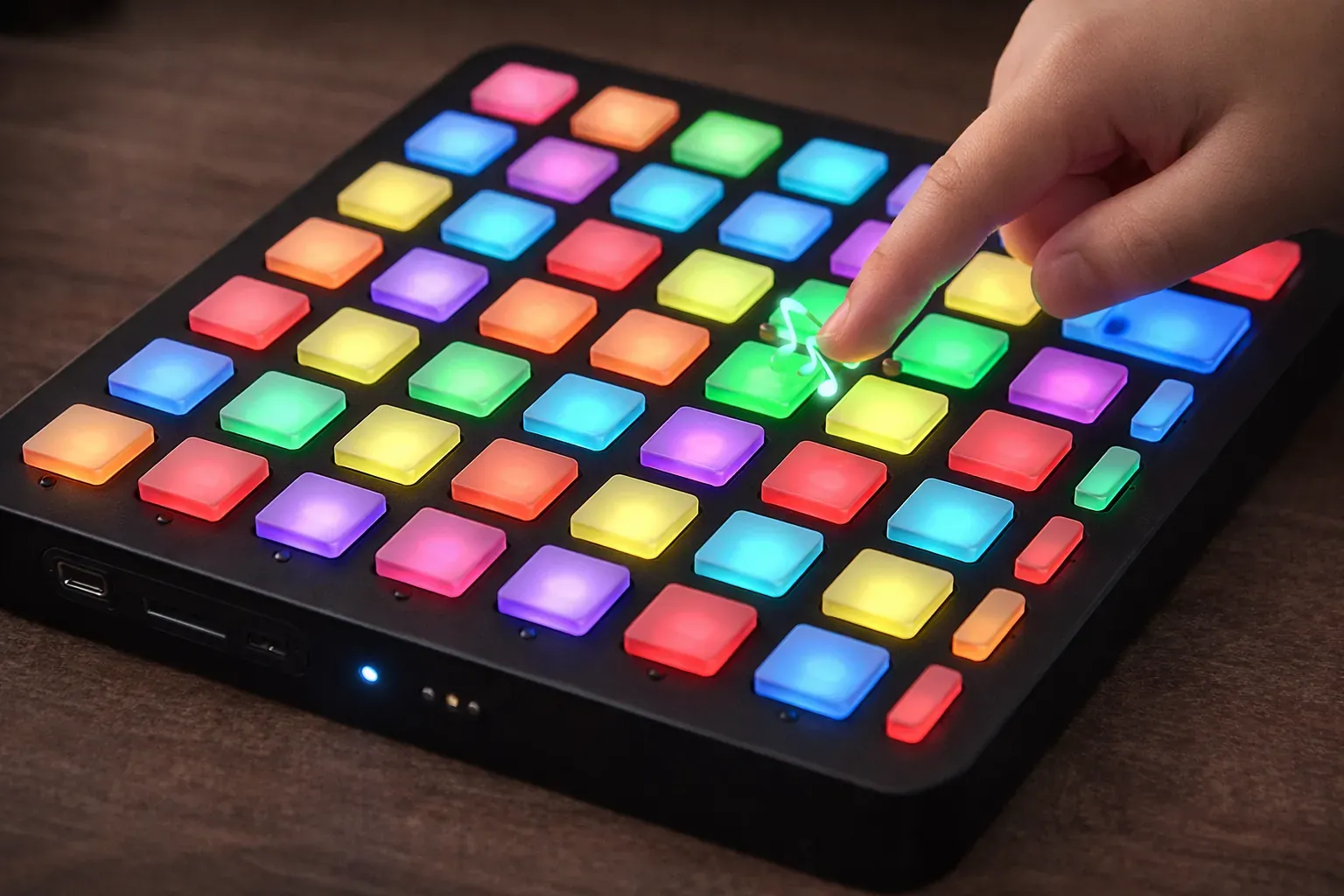
What if MemoSonic wasn't just an app, but a physical toy you could hold in your hands?
The Vision
Picture a compact device with a grid of large, tactile buttons. Each button:
- Lights up with RGB LEDs
- Plays a sound when pressed
- Has a satisfying click
- Is large enough for small hands (and accessible for everyone)
An 8×8 matrix would give us 64 buttons - enough for complex games while keeping each button big enough to press comfortably:
[🔘] [🔘] [🔘] [🔘] [🔘] [🔘] [🔘] [🔘]
[🔘] [🔘] [🔘] [🔘] [🔘] [🔘] [🔘] [🔘]
[🔘] [🔘] [🔘] [🔘] [🔘] [🔘] [🔘] [🔘]
[🔘] [🔘] [🔘] [🔘] [🔘] [🔘] [🔘] [🔘]
[🔘] [🔘] [🔘] [🔘] [🔘] [🔘] [🔘] [🔘]
[🔘] [🔘] [🔘] [🔘] [🔘] [🔘] [🔘] [🔘]
[🔘] [🔘] [🔘] [🔘] [🔘] [🔘] [🔘] [🔘]
[🔘] [🔘] [🔘] [🔘] [🔘] [🔘] [🔘] [🔘]
Easy mode? Use a 3×2 section. Hard mode? The whole grid lights up.
Why Does This Idea Excite Us?
Screen-free play. Parents increasingly want toys that don't involve staring at a screen. A physical MemoSonic would sit on the kitchen table, travel in a backpack, work without WiFi.
True tactile accessibility. For visually impaired users, physical buttons in fixed positions are far easier to navigate than a touchscreen. You can feel your way around. Build muscle memory. No screen reader required.
Multiplayer without devices. Gather around the table. Take turns. Compete. No "pass the phone" awkwardness.
Durability. Kids are rough. A well-designed hardware toy can survive drops, spills, and sibling conflicts.
What It Could Look Like Technically
If we were to build this, we'd probably explore:
- ESP32 or Raspberry Pi Pico as the brain
- I2S audio for quality sound output
- NeoPixel/WS2812B LEDs for button illumination
- Rechargeable battery with USB-C charging
- SD card slot for custom sound packs
- Bluetooth LE for optional app companion (stats, new sounds)
The app and hardware could even sync - unlock new sounds on the device by mastering them in the app first.
The Accessibility Angle
This is where it gets really exciting.
For a blind child, a touchscreen memory game is possible but challenging. A physical device with buttons in consistent positions? That's a game they can master as well as any sighted player. Maybe better - they've been training their auditory memory their whole life.
We imagine:
- Raised symbols on each button for tactile identification
- Audio position announcements ("Button 3" when pressed)
- Haptic feedback for matches and mismatches
- Braille labeling on the device
Is This Something You'd Want?
Right now, this is just an idea - a dream sketched on whiteboards and discussed over coffee. We haven't built a prototype yet. We're not sure if we will.
But we could, if there's real interest.
Would you buy a physical MemoSonic for your kids? For a classroom? For a visually impaired family member? Would you back it on Kickstarter?
Let us know. If enough people say "yes, build this thing!" - we just might.
📧 support@musictechlab.io - subject line: "Hardware MemoSonic"
If the response is strong enough, we'll start prototyping and document the entire journey. Stay tuned.
Try It Yourself
MemoSonic is available now:
- Web: memosonic.musictechlab.io
- iOS: App Store
- Android: Google Play
Whether you're a music teacher looking for ear training tools, a parent wanting educational screen time, or someone who just wants to see if they can beat their kids at a memory game - give it a try.
The Bigger Picture
MemoSonic started as a rainy day experiment. It became something more - a proof that:
- Learning doesn't have to look like learning. The best educational tools feel like play.
- Accessibility opens doors. By designing for sound-first gameplay, we accidentally created something that works for people we hadn't initially considered.
- Simple ideas can have big impact. Flip cards, match sounds. That's it. But the applications - music education, auditory training, inclusive gaming - are vast.
- Software is just the beginning. The same concept that works on a phone could work on a physical device - maybe even better for some users.
Sometimes the best projects come from playing with your kids.
Resources
For Clients: What to Know Before Commissioning a Mobile App
We thought it might be useful to share some honest insights from building MemoSonic - especially if you're considering commissioning a mobile app yourself.
Timeline Reality
MemoSonic from idea to production: ~10 calendar months, but effectively 2-3 weeks of intense work.
Why the difference? Because projects have their own rhythm - there are pauses for testing ideas, gathering feedback, handling other priorities. Realistically:
| Phase | Time |
|---|---|
| Prototype / proof of concept | 1-2 days |
| Core functionality | 3-5 days |
| UI/UX polish | 3-5 days |
| Testing, bugs, deployment | 2-5 days |
| Effective total | 2-3 weeks |
Where Do Most Problems Occur?
1. Audio/Media - Sounds simple ("just play a sound"), but:
- Playback latency issues
- Conflicts when sounds overlap
- Differences between iOS and Android behavior
- Library bugs (e.g., "Message responses can be sent only once")
2. iOS Builds - Every mobile project confirms this. Certificates, provisioning profiles, App Store review. Android is simpler.
3. Content and Copyright - Want to use a famous melody? Images from the internet? You either generate your own assets or buy licenses. (We had to remove Metallica from the project for this reason.)
Simple Ideas → Complex Threads
MemoSonic is "just" a memory game with sounds. Sounds like a weekend project, right?
And yet:
- 300+ audio files to generate (chords, scales, rhythms, animal sounds)
- Content generation pipeline - Python, FluidSynth, FFmpeg, sound synthesis
- Two game modes with different logic
- Three difficulty levels with balancing
- Accessibility - contrast, large buttons, audio feedback
- Card animations with 3D perspective
What seems like a "simple app" often requires:
- Integration with multiple libraries
- Handling edge cases
- Testing on various devices
- Iterations based on user feedback
The Golden Rule
MVP in 5 days, polishing - endless.
The first working version comes together quickly. But the difference between "it works" and "it works well on every device, looks professional, and doesn't crash" - that's weeks of additional work.
The Bottom Line
If you're planning to build an app, budget for:
- Time: 2-3x your initial estimate
- Complexity: Simple features often hide complex implementations
- Platform quirks: iOS, Android and web behave differently
- Content: Creating or licensing assets takes time and money
The silver lining? Cross-platform frameworks like Flutter mean you get both iOS and Android from a single codebase. One team, one codebase, two app stores. That's a massive time and cost saver compared to building native apps separately.
The good news? With the right team and realistic expectations, even ambitious ideas can become polished products. MemoSonic started as a rainy Sunday vibe-coded game with kids. Now it's a people train their ears.
Try MemoSonic
- Web: memosonic.musictechlab.io
- iOS: App Store
- Android: Google Play
Let's Build Something Together
Have a similar project in mind? We'd love to hear about it.
Get in touch to discuss how we can help bring your vision to life.
Assembly Instructions App - Galeco Mobile App
How we built an offline-capable React Native app for Galeco with 3D video assembly instructions for roofers and architects.
Loyalty Program App for Shopping Mall
How we built a tablet-based loyalty app for Forum shopping mall to issue prepaid gift cards based on purchase amounts, with backend API and admin panel.
Related Articles





Technical Partner
Technical partner at MusicTech Lab with 15+ years in software development. Builder, problem solver, blues guitarist, long-distance swimmer, and cyclist.
Newsletter
Get music tech insights, case studies, and industry news delivered to your inbox.