
How to Create a Watch Face App for Garmin Watch

Key Takeaways
hidden: true
Introduction
Smartwatches have become essential tools for athletes and fitness enthusiasts. With thousands of apps available on platforms like Garmin's Connect IQ Store, there's also a huge opportunity for brands to extend their presence to users' wrists - even with something as simple as a custom watch face.
At MusicTech Lab, while working on software for BeatBuddy Pro - a programmable tempo trainer designed for swimmers to maintain consistent stroke rhythm and improve technique - we saw an opportunity to experiment with Garmin's Connect IQ platform. The result? A branded watch face dedicated to swimmers that displays weekly swimming distance alongside the standard time and date. Every glance at the watch shows how many kilometers you've swum in the last 7 days - a subtle motivator that reinforces training consistency while keeping the BeatBuddy brand visible.
In this guide, we'll share everything we learned building the BeatBuddy Watch Face for Garmin devices. Whether you're creating a watch face for your sports tech brand, a client, or just exploring the platform, this tutorial covers the complete journey from SDK setup to publishing on the Connect IQ Store.
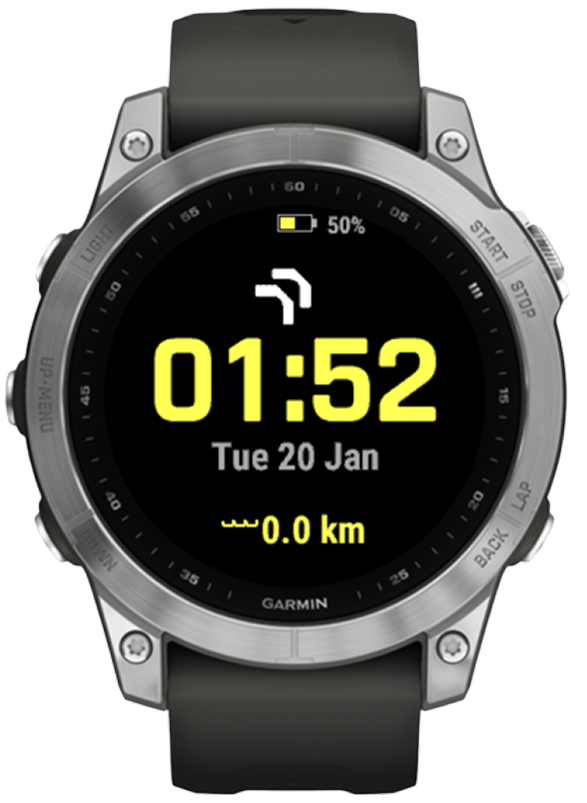
Fenix 7
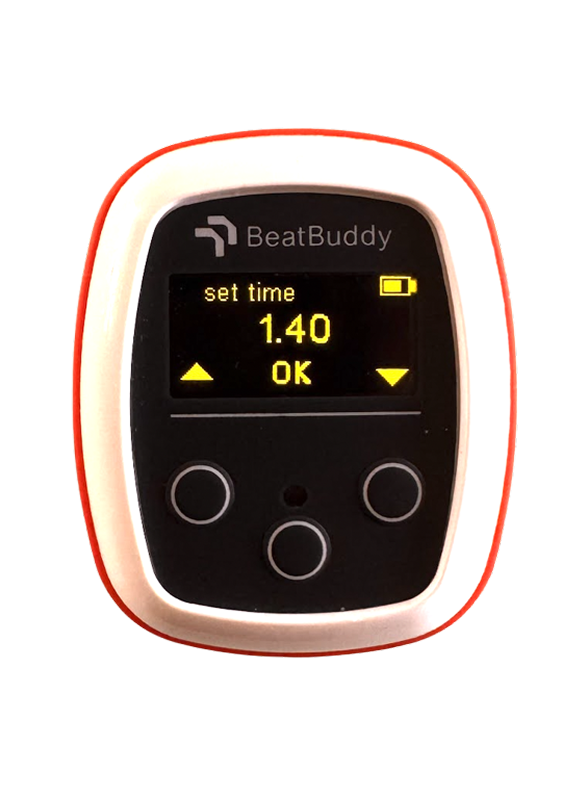
BeatBuddy Pro
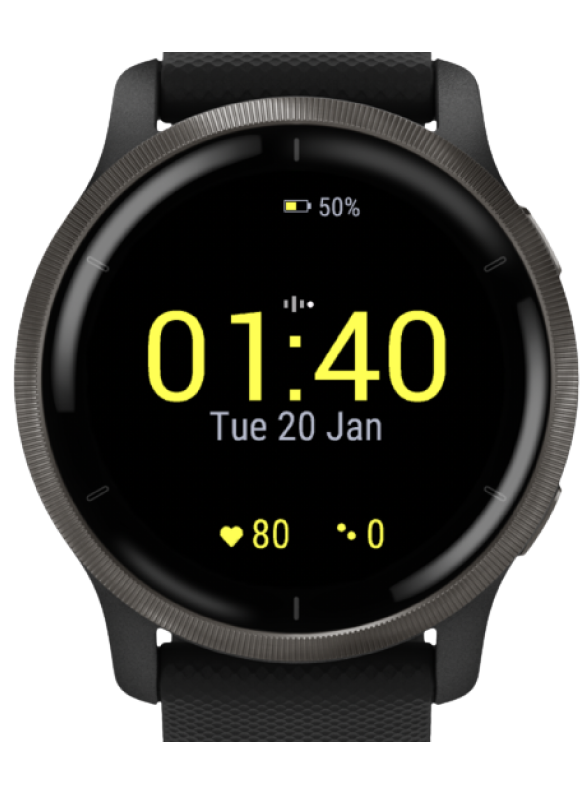
Venu 2
The BeatBuddy Pro Watch Face running in the Garmin simulator - with the BeatBuddy Pro tempo trainer in the center
Where SportsTech Meets MusicTech
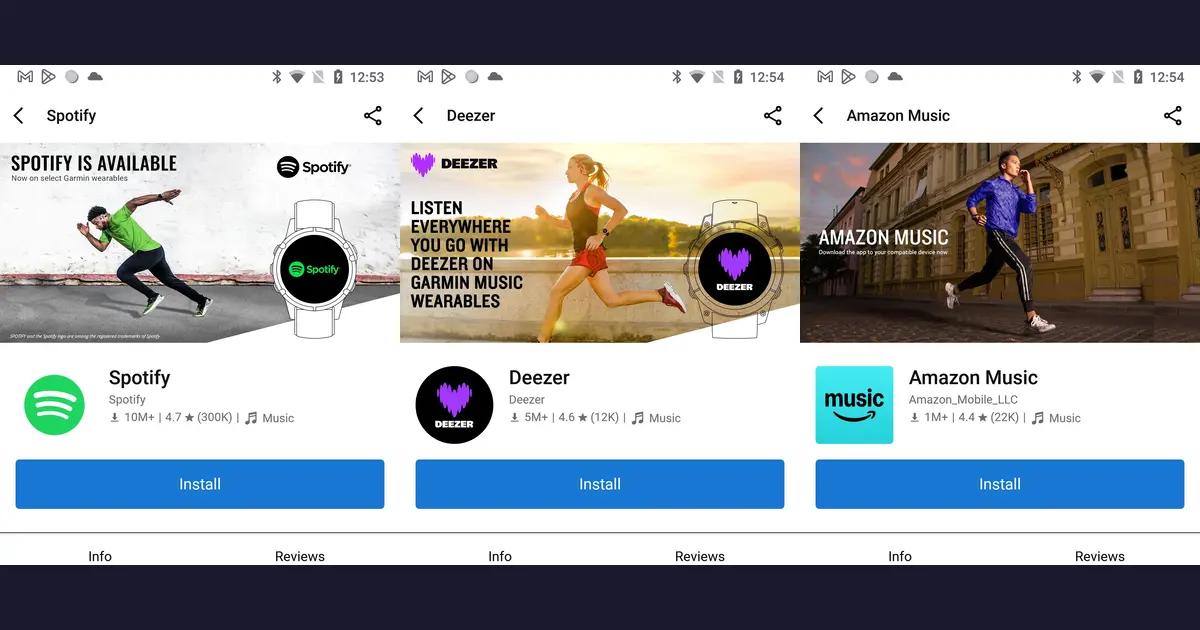
The Garmin Connect IQ Store is a fascinating intersection of sports and music technology. Look at the top music apps:
- Spotify - 10M+ downloads, featuring a runner sprinting on the banner
- Deezer - 5M+ downloads, showcasing a runner mid-stride
- Amazon Music - 1M+ downloads, with an athlete in motion
Notice a pattern? Every major music streaming service markets their Garmin app with athletes in action. Music and sports are deeply intertwined - runners rely on playlists for motivation, cyclists sync their cadence to BPM, and fitness enthusiasts use audio cues throughout their workouts.
This is exactly why Garmin is such an interesting platform for us at MusicTech Lab. When you're building products at the intersection of music and fitness - like BeatBuddy's rhythm-based training tools - Garmin gives you direct access to users who already understand the connection between sound and performance.
Why Garmin?
Garmin dominates the serious sports watch market. Runners, cyclists, triathletes, and outdoor athletes overwhelmingly choose Garmin for its GPS accuracy, training features, and legendary battery life. This makes it the perfect platform for sports tech brands looking to reach active users.
The Connect IQ platform offers:
- Wide Device Support - One codebase runs on 40+ watch models (Forerunner, Fenix, Venu, Epix series)
- Developer-Friendly SDK - Well-documented APIs for time, sensors, and graphics
- Active Marketplace - The Connect IQ Store has millions of downloads
- Target Audience - Direct access to serious athletes who actually use their watches daily
- Battery Life - Garmin watches last weeks, not hours - your watch face gets seen constantly
Prerequisites
Before you begin, make sure you have:
- Garmin Connect IQ SDK - Download here
- Visual Studio Code - With the Monkey C extension
- A Garmin Watch (optional for testing) - The SDK includes a simulator
- Developer Key - Generated during SDK setup
Note: The Connect IQ SDK runs on macOS, Windows, and Linux. We used macOS for this tutorial.
Step 1: Install the Connect IQ SDK
Download and Extract
# Download from Garmin's developer portal
# https://developer.garmin.com/connect-iq/sdk/

# Extract to your preferred location (we use ~/Library/Application Support/Garmin/)
# The SDK includes compiler, simulator, and device definitions
Set Environment Variables
Add to your ~/.zshrc or ~/.bashrc:
export GARMIN_HOME="$HOME/Library/Application Support/Garmin/ConnectIQ/Sdks/connectiq-sdk-mac-8.4.0-2025-12-03-5122605dc"
export PATH="$PATH:$GARMIN_HOME/bin"
Generate Developer Key
You'll need a developer key to sign your apps:
# Generate RSA key pair
openssl genrsa -out developer_key.pem 4096

# Convert to DER format (required by Connect IQ)
openssl pkcs8 -topk8 -inform PEM -outform DER \
  -in developer_key.pem -out developer_key.der -nocrypt
Important: Keep your developer key safe! You'll need the same key for all future updates to your app.
Step 2: Project Structure
A typical Garmin watch face project follows this structure:
my-watchface/
├── manifest.xml                    # App configuration & device support
├── monkey.jungle                   # Build configuration
├── keys/
│   ├── developer_key.pem          # Private key (don't commit!)
│   └── developer_key.der          # Signing key
├── source/
│   ├── MyWatchFaceApp.mc          # Application entry point
│   └── MyWatchFaceView.mc         # Rendering logic
└── resources/
    ├── drawables/
    │   ├── drawables.xml          # Drawable definitions
    │   └── launcher_icon.png      # App icon (40x40)
    ├── layouts/watchface.xml      # UI layout
    └── strings/strings.xml        # Localized strings
Step 3: Understanding Monkey C
Garmin uses Monkey C, a custom language that resembles a mix of Java and JavaScript. Here's what makes it unique:
Key Concepts
// Imports use the Toybox namespace
import Toybox.Graphics;
import Toybox.System;
import Toybox.WatchUi;

// Classes extend built-in base classes
class MyWatchFace extends WatchUi.WatchFace {

    // Type annotations are optional but recommended
    private var _centerX as Number = 0;

    // Constructor
    function initialize() {
        WatchFace.initialize();
    }

    // Called every minute (or second in high-power mode)
    function onUpdate(dc as Dc) as Void {
        // dc is the drawing context
        dc.setColor(Graphics.COLOR_WHITE, Graphics.COLOR_BLACK);
        dc.clear();
    }
}
Important Differences from JavaScript/Java
| Feature | Monkey C |
|---|---|
| Type System | Optional type annotations, runtime type checking |
| Memory | Limited heap (varies by device, typically 28-128KB) |
| Floats | Use sparingly - they consume more memory |
| Strings | Immutable, use Lang.format() for concatenation |
Step 4: The Application Entry Point
Create source/BeatBuddyWatchFaceApp.mc:
class BeatBuddyWatchFaceApp extends Application.AppBase {
    function initialize() { AppBase.initialize(); }

    function getInitialView() {
        return [new BeatBuddyWatchFaceView()];
    }
}
Step 5: The Watch Face View
This is where the magic happens. Create source/BeatBuddyWatchFaceView.mc:
class BeatBuddyWatchFaceView extends WatchUi.WatchFace {
    private const COLOR_PRIMARY = 0xFFFF00;  // Yellow

    function onUpdate(dc) {
        dc.setColor(0x000000, 0x000000);
        dc.clear();

        // Draw time
        var time = System.getClockTime();
        var timeStr = Lang.format("$1$:$2$", [time.hour, time.min.format("%02d")]);
        dc.drawText(_centerX, _centerY, Graphics.FONT_NUMBER_THAI_HOT, timeStr, ...);

        // Draw date, battery, branding...
    }
}
Key methods to implement:
onLayout(dc)- get screen dimensionsonUpdate(dc)- main render loop (called every minute)onEnterSleep()/onExitSleep()- handle always-on display mode
Step 6: Configure the Manifest
The manifest.xml defines your app's metadata and supported devices:
<iq:application entry="BeatBuddyWatchFaceApp" type="watchface" version="1.0.1">
    <iq:products>
        <iq:product id="venu3"/>
        <iq:product id="fenix7"/>
        <iq:product id="fr965"/>
        <!-- Add more devices as needed -->
    </iq:products>
</iq:application>
Tip: Find device IDs in the Connect IQ Device Reference.
Step 7: Build and Test
Using VS Code
- Open your project folder
- Press
Cmd+Shift+P→ "Monkey C: Build Current Project" - Choose your target device
Using Command Line
# Build and run in simulator
monkeyc -f monkey.jungle -o bin/app.prg -d fenix7 -y keys/developer_key.der
monkeydo bin/app.prg fenix7

# Or with a Makefile:
make run DEVICE=venu3
Step 8: Testing in the Simulator
The Connect IQ Simulator provides a realistic testing environment:
# Start the simulator
make simulator

# Or manually
open "$GARMIN_HOME/bin/ConnectIQ.app"
Simulator Features
- Time Control - Set any time to test rendering
- Battery Simulation - Test low battery warnings
- Sensor Data - Simulate heart rate, steps, GPS
- Multiple Devices - Test on different screen sizes
Step 9: Deploy to Your Watch
Method A: USB (Fastest for Testing)
- Connect your watch via USB
- Copy the
.prgfile toGARMIN/APPS/on the watch - Safely eject the watch
- On the watch: Settings → Watch Faces → Select your app
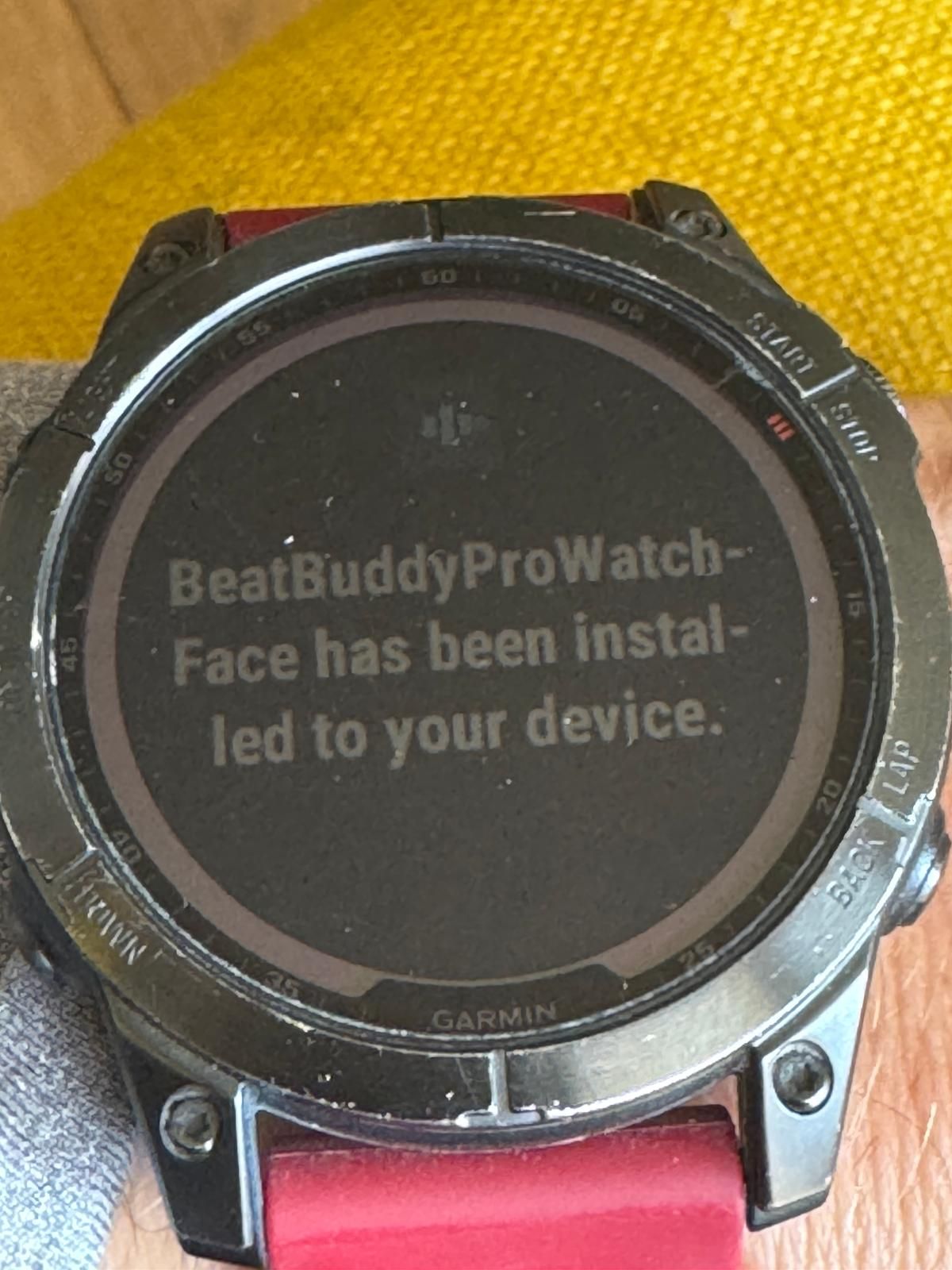
Installation confirmation
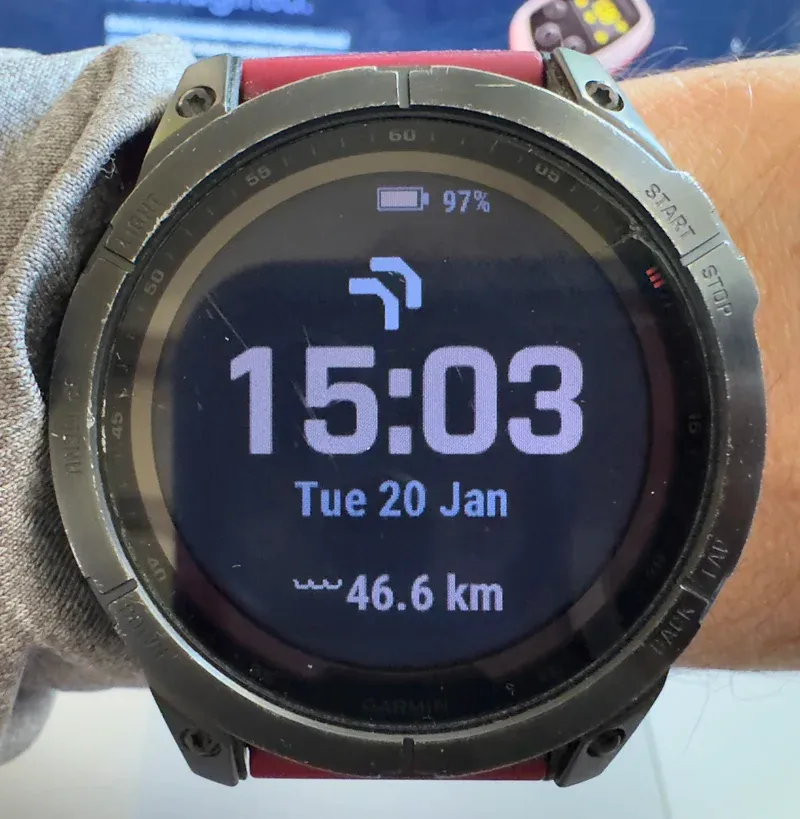
Watch face in action - 46.6 km since last restart
The BeatBuddy Pro Watch Face installed on a real Garmin Fenix watch
Method B: Connect IQ Store (Production)
- Build the release
.iqpackage for all supported devices:make release # Building for all devices... # 0 OUT OF 67 DEVICES BUILT # 1 OUT OF 67 DEVICES BUILT # ... # 67 OUT OF 67 DEVICES BUILT
The SDK automatically compiles your app for all 67 compatible devices in a single command. - Create a developer account at apps.garmin.com/developer
- Upload your app with:
- Screenshots (454×454 for round faces)
- Description and changelog
- Privacy policy (required)
- Submit for review (typically 1-3 days)
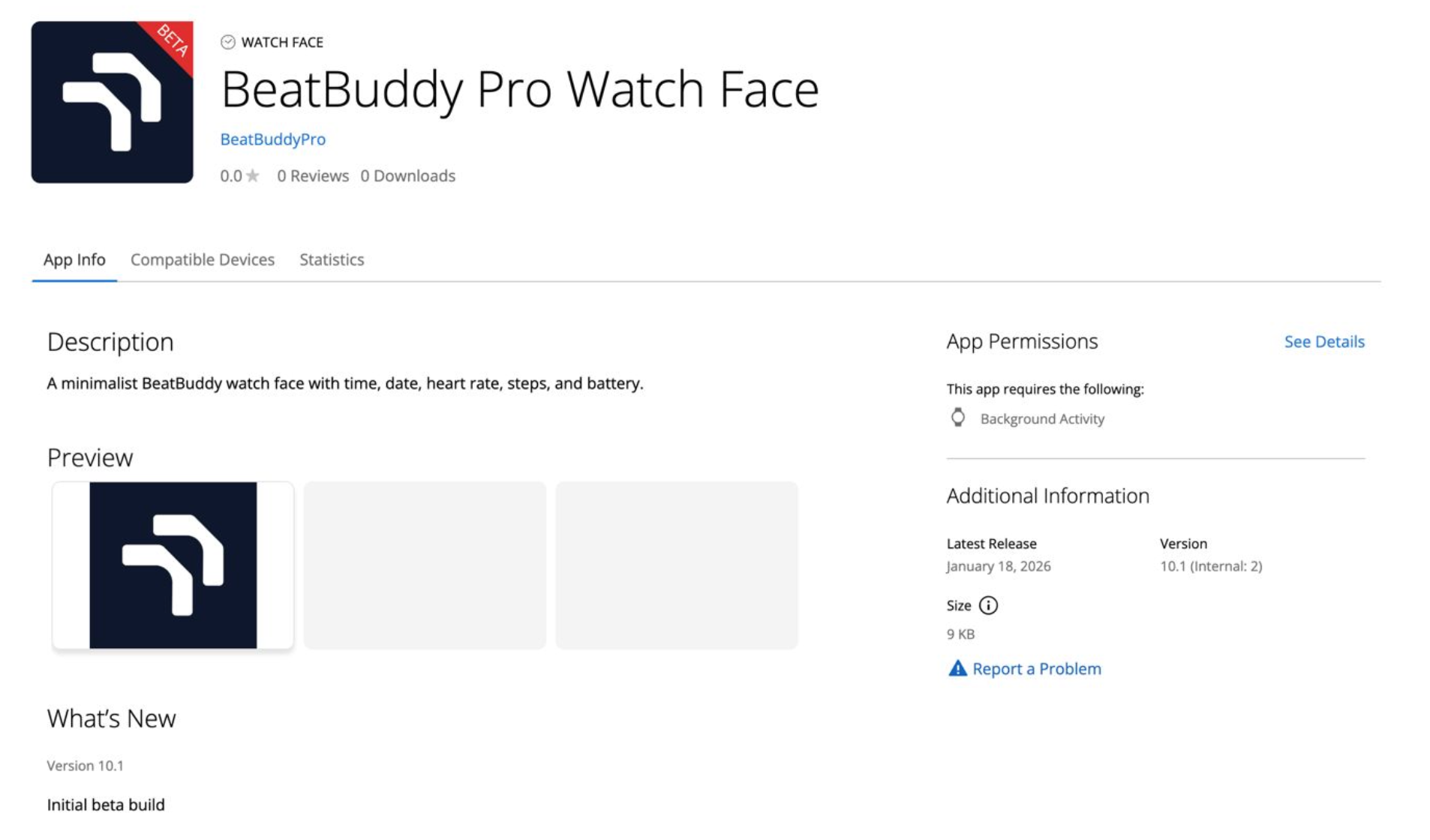 The BeatBuddy Pro Watch Face listing on the Garmin Connect IQ Store
Accessing Fitness Data
One of Garmin's strengths is access to fitness sensors. Here's how we display weekly swimming distance:
// Get weekly distance from ActivityMonitor
var history = ActivityMonitor.getHistory();
var totalKm = 0.0f;
for (var i = 0; i < 7; i++) {
    totalKm += history[i].distance / 100000.0f;  // cm to km
}
Available Data Points
| Data | API | Notes |
|---|---|---|
| Heart Rate | Activity.getActivityInfo().currentHeartRate | Real-time from sensor |
| Steps | ActivityMonitor.getInfo().steps | Today's count |
| Distance | ActivityMonitor.getHistory() | Historical data |
| Calories | ActivityMonitor.getInfo().calories | Daily estimate |
| Battery | System.getSystemStats().battery | Percentage |
Tips and Best Practices
Performance
- Minimize memory allocation in
onUpdate()- it's called frequently - Cache calculated values when possible
- Avoid floating-point math unless necessary
- Use built-in fonts instead of custom fonts when possible
Battery Life
- Watch faces update once per minute by default
- Don't request more frequent updates unless the user is actively looking at the watch
- Implement
onEnterSleep()to reduce rendering in always-on mode
Screen Sizes
Garmin watches have various screen sizes (218×218 to 454×454). Always:
- Get dimensions from
dc.getWidth()anddc.getHeight() - Use relative positioning, not hard-coded coordinates
- Test on multiple devices in the simulator
Debugging
System.println("Debug: value = " + value); // Print to simulator console
Common Pitfalls
| Issue | Solution |
|---|---|
| App crashes with "Out of Memory" | Reduce bitmap sizes, avoid string concatenation |
| Font looks wrong on some devices | Use Graphics.FONT_* constants, not custom fonts |
| Heart rate shows "--" | Normal when sensor not active - handle gracefully |
| Build fails with "device not found" | Check device ID matches SDK and manifest |
| Colors look different on watch | AMOLED screens show colors differently than LCD |
Conclusion
Building a Garmin watch face turned out to be a straightforward project that delivered real marketing value. The Connect IQ platform is well-documented, and the Monkey C language is approachable for anyone with JavaScript or Java experience. We went from zero Garmin development experience to a published watch face in just a few days.
For BeatBuddy Pro, this watch face serves a simple but important purpose: brand visibility. Every time a user checks the time, they see the BeatBuddy logo. It's a subtle touchpoint that reinforces brand awareness without requiring any complex functionality.
The Broader Opportunity
Beyond watch faces, Garmin's Connect IQ platform opens doors to more sophisticated integrations:
- Data Fields - Custom metrics displayed during activities (imagine showing BeatBuddy cadence data)
- Widgets - Quick-glance information cards
- Full Apps - Complete applications with user interaction
- Device Apps - Background services that can communicate with external devices
For sports tech companies, this represents a direct channel to your target audience - athletes who are already engaged with their training data.
What We Covered
- Setting up the Connect IQ SDK and development environment
- Understanding Monkey C language basics
- Building a watch face with time, date, battery, and branding
- Accessing fitness data from Garmin sensors
- Deploying via USB and the Connect IQ Store
Resources
- Connect IQ SDK Documentation
- Monkey C Language Reference
- Compatible Devices List
- Connect IQ Developer Forum
- BeatBuddy Pro - The programmable tempo trainer for swimmers
Let's Build Something Together
Have a similar project in mind? We'd love to hear about it.
Get in touch to discuss how we can help bring your vision to life.
Related Articles

Newsletter
Get music tech insights, case studies, and industry news delivered to your inbox.