
Building a Suno AI Remix App with Nuxt & Firebase


Key Takeaways
Imagine uploading a raw audio recording and getting back a fully remixed version in a completely different genre - Pop to Jazz, Rock to Lo-fi - all powered by AI. That's exactly what we built as a proof of concept using Suno's AI, Nuxt 4, and Firebase.
In this article, we'll walk you through the architecture, key technical decisions, and code behind our Suno Remix PoC. Whether you're a music tech enthusiast or a developer exploring AI-powered audio tools, this guide will help you build something similar.
What is Suno?
Suno is one of the most impressive AI music generation platforms available today. It can generate full songs from text prompts, create covers in different styles, extend existing tracks, and even separate stems (vocals vs. instruments).
The catch? Suno doesn't have an official public API. There's no suno.com/developers portal or API key system. Instead, a growing ecosystem of third-party services wraps Suno's capabilities behind a REST API (Application Programming Interface).
For this PoC, we chose sunoapi.org - the most documented third-party provider with support for the upload-cover endpoint, which is what enables the "remix" functionality. It costs approximately $0.005 per credit, which is very affordable for experimentation.
The Architecture
Here's the core challenge: Suno's API doesn't accept file uploads directly. Instead, it requires a public URL pointing to the audio file. This means we need an intermediary storage layer.
Our solution uses Firebase Storage as the bridge:
- User uploads a WAV/MP3 file → stored in Firebase Storage (client-side SDK)
- Firebase returns a public download URL → this is the key piece Suno needs
- Browser calls
POST /api/remix→ our Nitro server route forwards the request to sunoapi.org with the API key - Browser polls
GET /api/remix/:taskId→ our server route checks sunoapi.org for the remix status every 30 seconds - Remix is ready → the browser plays both original and remixed audio side-by-side using WaveSurfer.js
Why this architecture?
| Decision | Reason |
|---|---|
| Firebase Storage | Gives us a publicly accessible URL for the uploaded WAV file |
| Nitro server routes | Keeps the Suno API key on the server - never exposed to the browser |
| Polling | Suno processes remixes asynchronously (1-3 min); we poll every 30 seconds |
| WaveSurfer.js | Industry-standard waveform visualization for comparing original vs. remixed audio |
Tech Stack
| Layer | Technology |
|---|---|
| Frontend | Nuxt 4 + Vue 3 + Nuxt UI |
| Styling | Tailwind CSS 4 |
| Audio Visualization | WaveSurfer.js 7 |
| Server | Nitro (built into Nuxt) |
| Storage | Firebase Storage |
| Hosting | Firebase Hosting |
| API | sunoapi.org (third-party Suno proxy) |
The Key Technical Challenge: Upload Flow
The most interesting part of this project is how we bridge the gap between a user's local WAV file and Suno's requirement for a public URL.
Step 1: Upload to Firebase Storage
We created a useFirebaseStorage composable that handles the upload with progress tracking:
import { getStorage, ref as storageRef, uploadBytesResumable, getDownloadURL } from 'firebase/storage'

async function uploadWavFile(file: File): Promise<string> {
  const storage = getStorage(app)
  const fileName = `${crypto.randomUUID()}.wav`
  const fileRef = storageRef(storage, `uploads/${fileName}`)

  const uploadTask = uploadBytesResumable(fileRef, file, {
    contentType: 'audio/wav',
  })

  return new Promise((resolve, reject) => {
    uploadTask.on('state_changed',
      (snapshot) => {
        // Track progress (0-100%)
        uploadProgress.value = Math.round(
          (snapshot.bytesTransferred / snapshot.totalBytes) * 100
        )
      },
      reject,
      async () => {
        // Get the public download URL
        const downloadUrl = await getDownloadURL(uploadTask.snapshot.ref)
        resolve(downloadUrl)
      }
    )
  })
}
The getDownloadURL() call returns a publicly accessible Firebase Storage URL - exactly what Suno needs.
Step 2: Call the Suno API (via server proxy)
We never call Suno directly from the browser. Instead, we use a Nitro server route that reads the API key from server-only runtime configuration:
export default defineEventHandler(async (event) => {
  const body = await readBody(event)
  const config = useRuntimeConfig()

  const result = await fetch('https://api.sunoapi.org/api/v1/generate/upload-cover', {
    method: 'POST',
    headers: {
      'Authorization': `Bearer ${config.sunoApiKey}`,
      'Content-Type': 'application/json',
    },
    body: JSON.stringify({
      uploadUrl: body.uploadUrl,
      customMode: true,
      style: body.style,
      title: body.title,
      model: 'V4_5',
    }),
  })

  const data = await result.json()
  return { taskId: data.data.taskId }
})
NUXT_SUNO_API_KEY environment variable is mapped to runtimeConfig.sunoApiKey (without public), which means Nuxt never bundles it into client-side JavaScript. This is the correct way to handle API secrets in Nuxt.Step 3: Poll for Results
Suno processes remixes asynchronously. We poll every 30 seconds:
pollInterval = setInterval(async () => {
  const result = await $fetch(`/api/remix/${taskId.value}`)

  if (result.status === 'SUCCESS') {
    tracks.value = result.tracks
    status.value = 'completed'
    stopPolling()
  }
}, 30000)
When the remix is ready, the response includes an audio_url pointing to the generated track on Suno's CDN (Content Delivery Network).
Building the Frontend
The UI is intentionally simple - this is a PoC, after all. The entire flow happens on a single page:
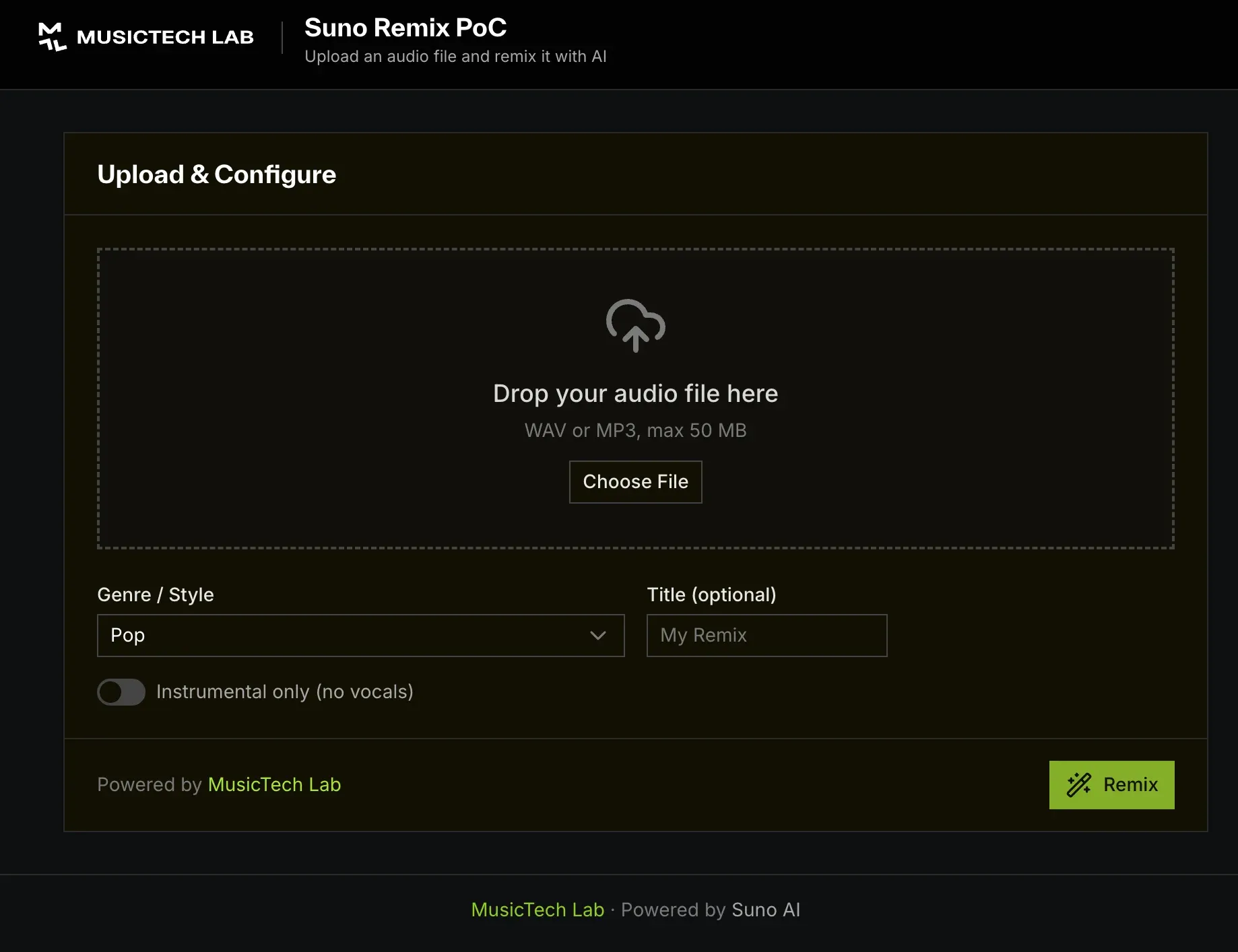
- UploadZone - Drag-and-drop or file picker with WAV/MP3 validation (max 50 MB)
- StyleSelector - Genre dropdown (16 genres), title input, and instrumental toggle
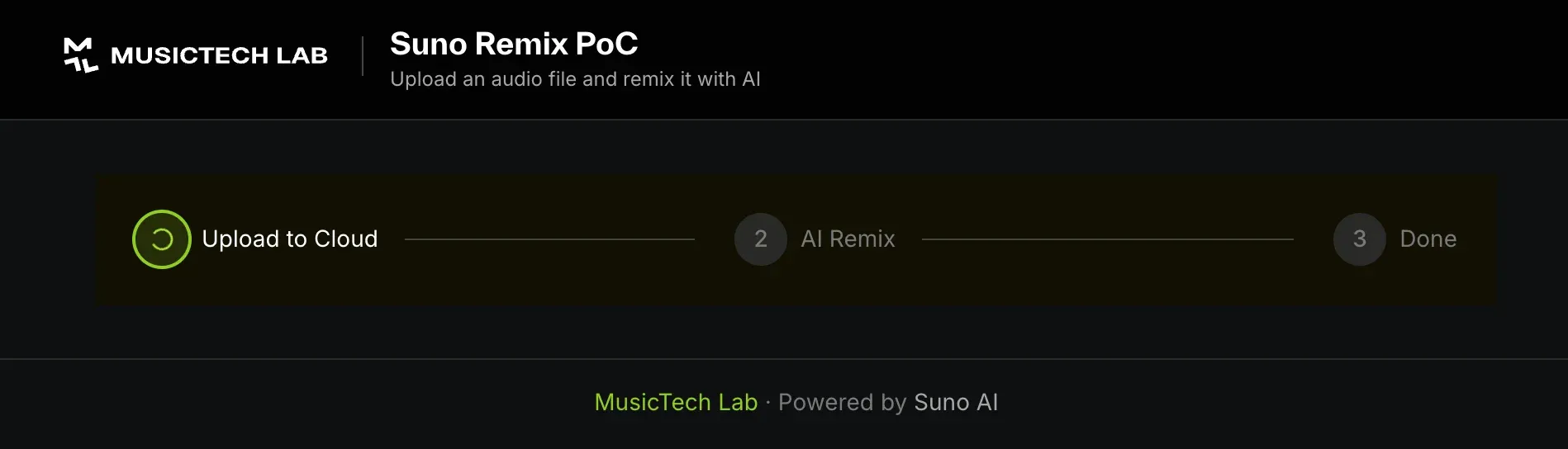
- ProgressIndicator - 3-step progress bar with upload percentage
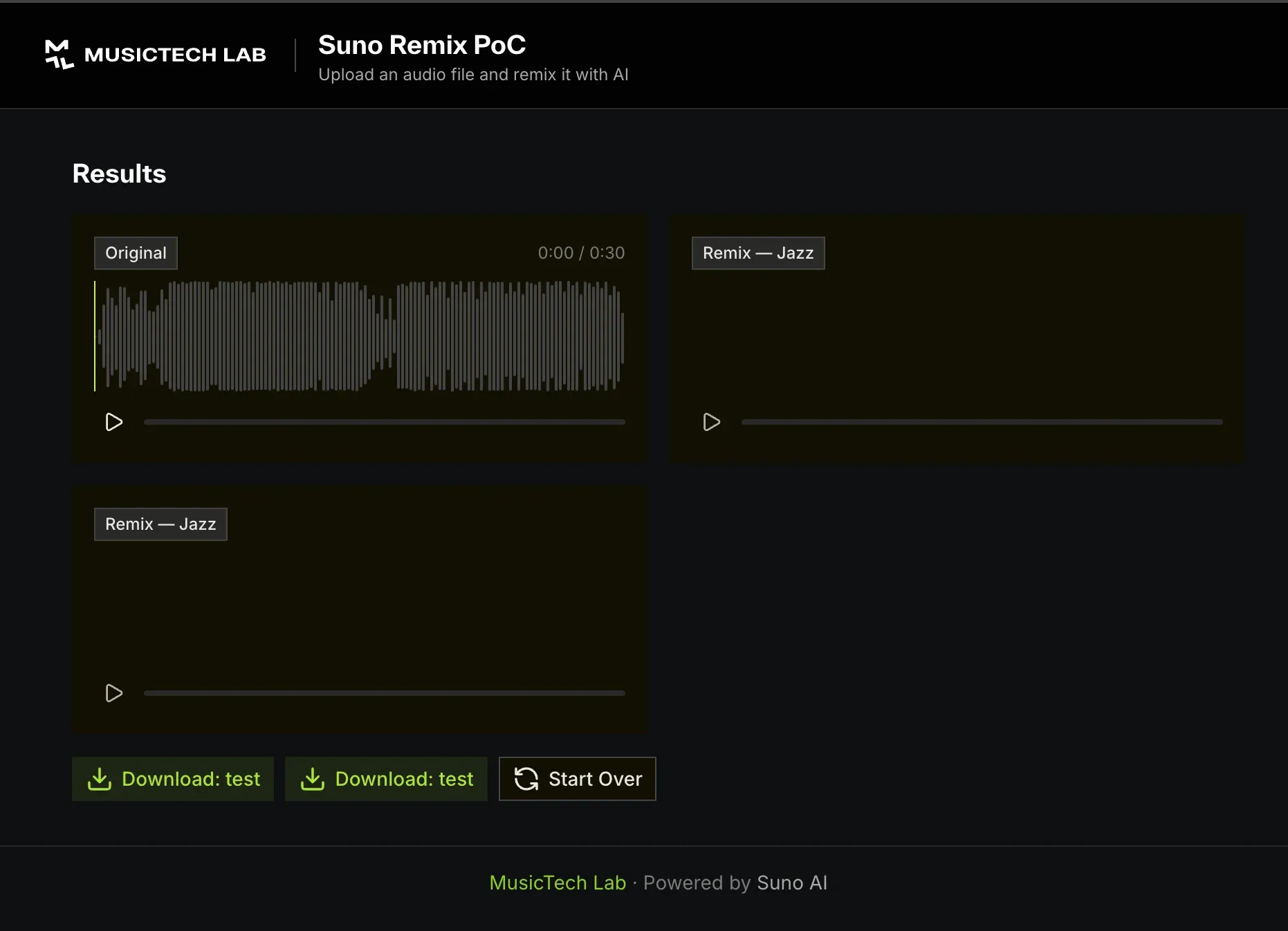
- AudioComparison - Side-by-side WaveSurfer.js players for original and remixed audio
Here's what the upload screen looks like:
Once you hit Remix, the app uploads the file to Firebase Storage and kicks off the AI processing. The 3-step progress indicator keeps you informed:
When the remix is complete, you get a side-by-side comparison with waveform visualization - the original on the left, and the AI-generated remix(es) alongside it:
WaveSurfer.js Integration
We wrapped WaveSurfer.js in a Vue component with <ClientOnly> to avoid SSR (Server-Side Rendering) issues:
<ClientOnly>
  <WaveformPlayer
    :audio-url="track.audioUrl"
    label="Remix - Jazz"
  />
</ClientOnly>
The player provides play/pause controls, a progress bar, and time display - all styled to match the dark theme.
Deployment to Firebase
Firebase Hosting serves the Nuxt static output. The setup is straightforward:
{
  "hosting": {
    "public": ".output/public",
    "cleanUrls": true,
    "rewrites": [
      { "source": "**", "destination": "/index.html" }
    ]
  },
  "storage": {
    "rules": "firebase-storage.rules"
  }
}
Firebase Storage rules restrict uploads to WAV and MP3 files under 50 MB:
match /uploads/{fileName} {
  allow write: if request.resource.size < 50 * 1024 * 1024
               && (request.resource.contentType == 'audio/wav'
                   || request.resource.contentType == 'audio/mpeg');
  allow read: if true;
}
Deploy with:
pnpm build
firebase deploy
Security Considerations
Even for a PoC, security matters:
| Concern | Solution |
|---|---|
| API key exposure | Stored in runtimeConfig (server-only), never in runtimeConfig.public |
| File abuse | Firebase Storage rules: WAV/MP3 only, 50 MB max |
| Input validation | Server routes validate URL format, string lengths |
| Secrets in git | .env in .gitignore; only .env.example committed |
Watch Out: Copyright Detection
One thing that caught us off guard during testing - Suno has built-in copyright detection. When we tried remixing a well-known track (AC/DC's "Back in Black"), the API returned an error:
Error code: 413
Error message: Uploaded audio matches existing work of art.
Suno's system fingerprints uploaded audio and compares it against known copyrighted works. If it detects a match, the remix is rejected with a GENERATE_AUDIO_FAILED status.
This is actually a responsible feature - it prevents the platform from being used to create unauthorized covers or derivatives of copyrighted music. For our PoC, we switched to an original recording and everything worked perfectly.
What We Learned
- Suno's "upload-cover" endpoint is powerful - It takes an audio file and re-imagines it in a completely different style while retaining the core melody. The results can be surprisingly good.
- Copyright detection is real - Don't assume you can remix any audio. Suno actively fingerprints uploads and blocks copyrighted material with error code 413.
- The public URL requirement adds complexity - Having to upload to Firebase Storage first adds a step, but it's a clean pattern that keeps the architecture simple.
- Polling is fine for a PoC - While webhooks would be more efficient, the 30-second polling interval works well for a demo. The typical remix takes 1-3 minutes.
- Nuxt 4 + Nitro is a great combo - Server routes give you a built-in API proxy without needing a separate backend service. Perfect for PoCs and small apps.
Next Steps
This PoC demonstrates the core flow, but there are plenty of ways to extend it:
- Multiple styles per remix - Let users generate several style variations at once
- Audio trimming - Add a waveform-based trimmer before sending to Suno
- User accounts - Save remix history with Firebase Auth
- Batch processing - Upload multiple files and queue remixes
- Stem separation - Use Suno's stems endpoint to separate vocals and instruments
Try It Yourself
- Live demo: mtl-suno-poc.web.app
You'll need your own Suno API key from sunoapi.org and a Firebase project if you want to build something similar.
Related Articles
Let's Build Something Together
Have a similar project in mind? We'd love to hear about it.
Get in touch to discuss how we can help bring your vision to life.
Building a Custom Music Delivery Platform on the Revelator API
A practical guide for distributors weighing a hybrid setup: a custom frontend with Revelator's API as the delivery backbone. Covers architecture and DDEX.
C2PA & DDEX: Authenticity Meets Rights in the Age of AI Music
C2PA proves content is real. DDEX ensures the right people get paid. Together, could they reshape how the music industry handles trust and rights in the AI era?
Related Articles




Technical Partner
Technical partner at MusicTech Lab with 15+ years in software development. Builder, problem solver, blues guitarist, long-distance swimmer, and cyclist.
Newsletter
Get music tech insights, case studies, and industry news delivered to your inbox.