
mtl-metadata-mcp: Open Source Audio Metadata Embedding for Claude Code

Key Takeaways
Every music file carries invisible data: the artist name, album, genre, release year, and the ISRC code that ties a recording to its rights holder. When this metadata is missing or incorrect, royalties get lost, catalog searches fail, and distributors reject deliveries. We built mtl-metadata-mcp to solve this problem directly from the command line, using natural language.
Why We Built This
At MusicTech Lab, we sometimes need to quickly verify or fix metadata in audio files - checking ISRC codes, correcting artist names, or spotting missing tags before a delivery. It is not our daily job, but when it comes up, we wanted a tool that lets us do it fast without leaving the terminal:
Since we already use Claude Code for development, building an MCP server was the natural choice.
The Tools
mtl-metadata-mcp exposes four tools:
Supported Fields
| Field | Description | Example |
|---|---|---|
| Title | Track name | "Back in Black" |
| Artist | Performer | "AC/DC" |
| Album | Album name | "Back in Black" |
| Date | Release year | "1980" |
| Genre | Music genre | "Classic Rock" |
| ISRC | International Standard Recording Code | "AUAP07900028" |
How It Works in Practice
Once installed, you just talk to Claude Code. No commands to memorize, no flags to look up.
Reading metadata
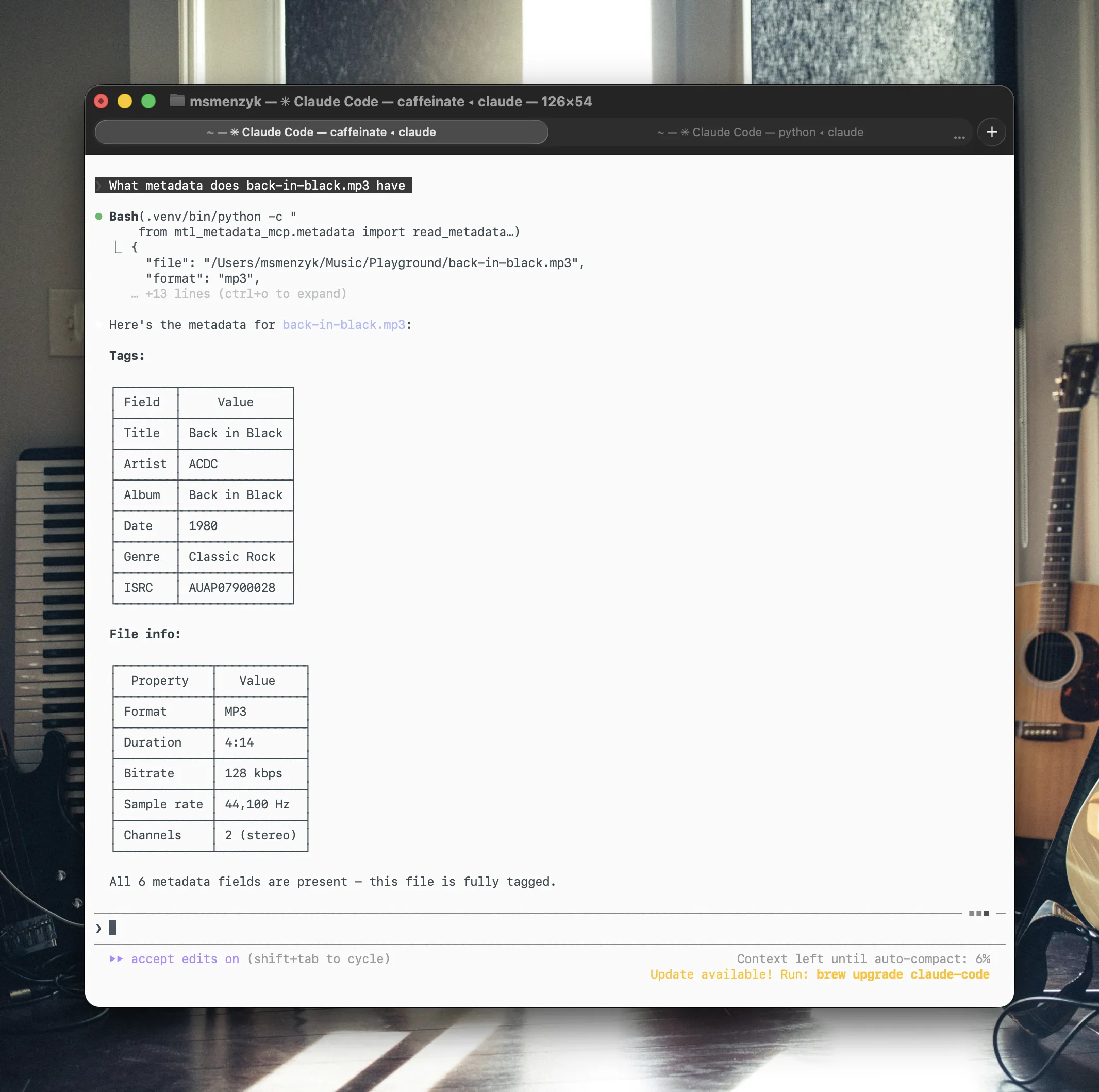
Ask Claude to read a file:
> What metadata does back-in-black.mp3 have?
The response comes back as structured data:
{
  "file": "/Users/you/Music/back-in-black.mp3",
  "format": "mp3",
  "duration_seconds": 254.38,
  "bitrate_kbps": 128,
  "sample_rate_hz": 44100,
  "channels": 2,
  "metadata": {
    "title": "Back in Black",
    "artist": "ACDC",
    "genre": "Classic Rock"
  }
}
Claude then formats this into a readable table and points out missing fields - in this case, album, date, and ISRC.
Writing metadata
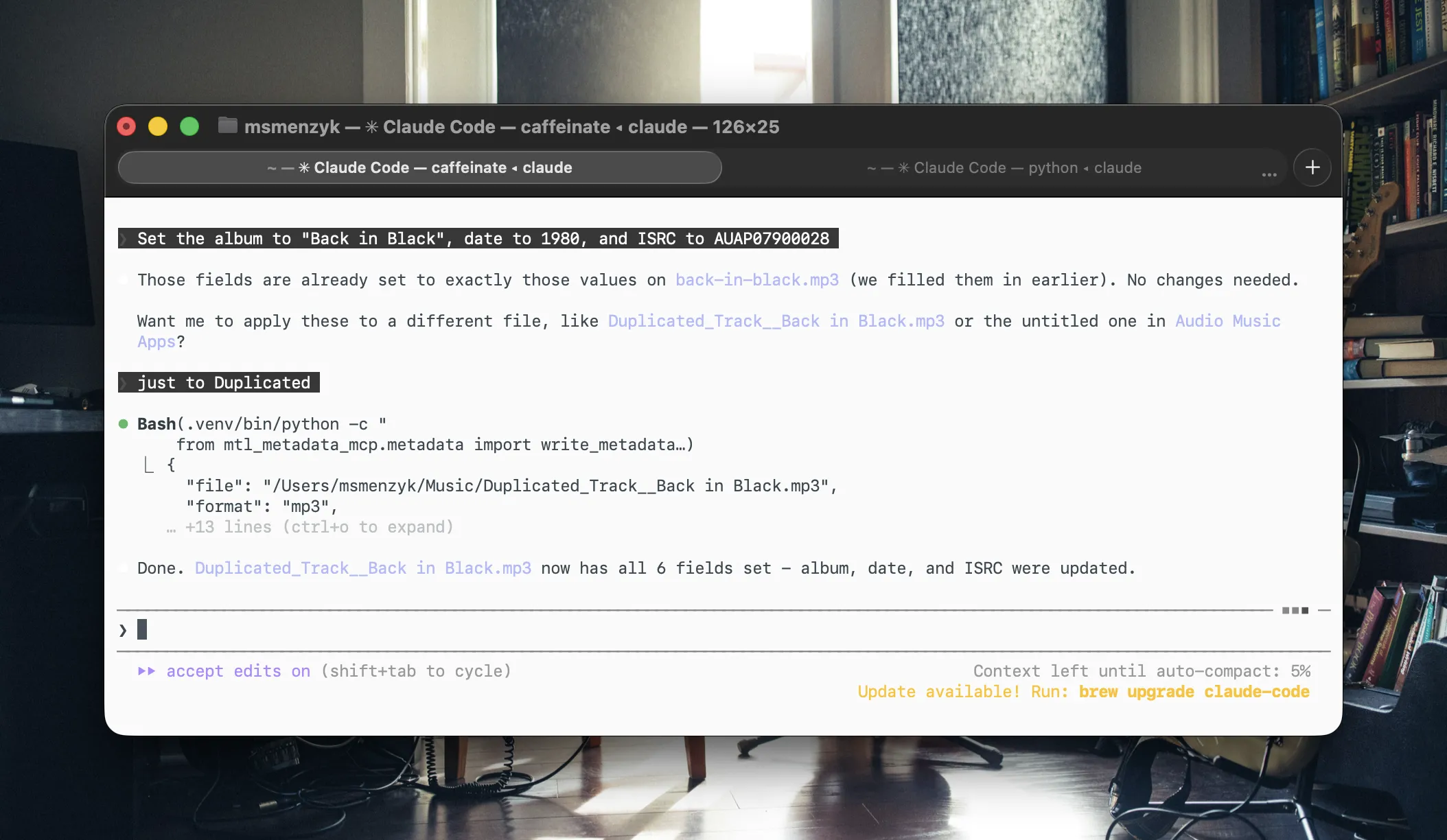
Tell Claude what to fill in:
> Set the album to "Back in Black", date to 1980, and ISRC to AUAP07900028
Only the specified fields are updated. Everything else stays untouched.
Scanning a library
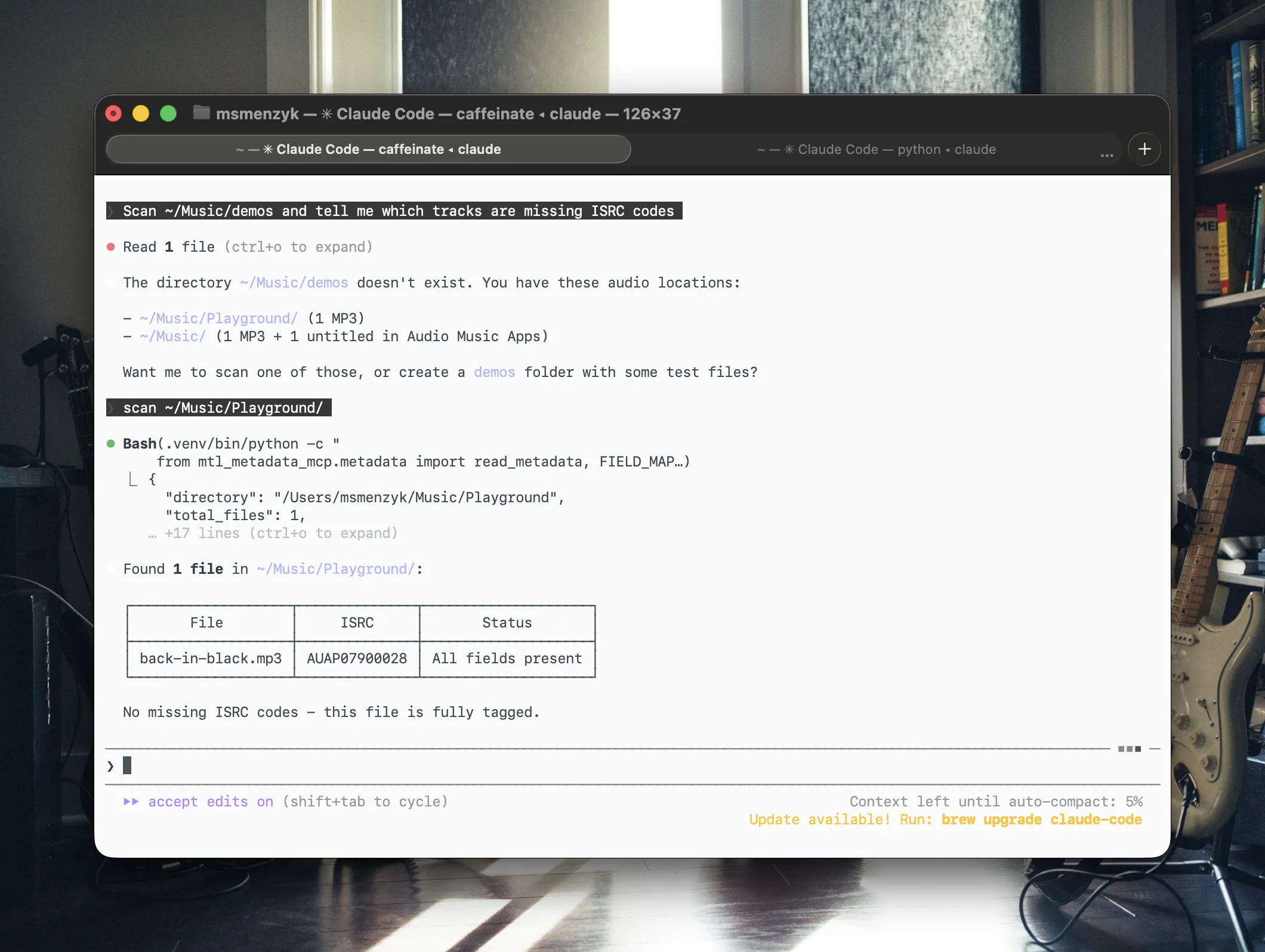
This is where it gets powerful:
> Scan ~/Music/demos and tell me which tracks are missing ISRC codes
{
  "directory": "/Users/you/Music/demos",
  "total_files": 3,
  "files": [
    {
      "file": "idea-01.mp3",
      "has_metadata": true,
      "fields_present": ["title", "artist"],
      "fields_missing": ["album", "date", "genre", "isrc"]
    },
    {
      "file": "sketch.flac",
      "has_metadata": false,
      "fields_present": [],
      "fields_missing": ["title", "artist", "album", "date", "genre", "isrc"]
    }
  ]
}
You can then follow up with batch commands:
> Set ISRC codes USAB12300001 through USAB12300003 on each track in order
More prompt ideas
Here are some real-world prompts you can try:
> Read the metadata from all files in ~/Music/masters and show me a summary table
> Change the artist on demo-v3.mp3 from "Unknown" to "Jane Doe"
> Which files in ~/Music/releases have no genre tag?
> Copy the metadata from track-01.mp3 and apply it to track-01-remastered.mp3
> Strip all metadata from every file in ~/Music/stems
> Check if any FLAC files in ~/Music/archive are missing ISRC codes, then list them
> Set genre to "Electronic" on all MP3 files in ~/Music/ep that currently have no genre
Tech Stack
The entire codebase is under 200 lines of core logic, plus 14 automated tests.
Getting Started
Installation
git clone https://github.com/musictechlab/mtl-metadata-mcp.git
cd mtl-metadata-mcp
poetry install
Register with Claude Code
claude mcp add -s user mtl-metadata -- bash -c "cd /path/to/mtl-metadata-mcp && poetry run python -m mtl_metadata_mcp"
Restart Claude Code, and the four metadata tools are available immediately.
claude mcp list - look for mtl-metadata in the output.What is Next
This is version 0.1.0. Here is what we are considering for future releases:
Have an idea for a feature we have not thought of? We would love to hear it. Let's connect and shape the roadmap together.
Open Source
mtl-metadata-mcp is MIT licensed and available on GitHub:
github.com/musictechlab/mtl-metadata-mcp
Contributions, issues, and feature requests are welcome. If you work with music catalogs and want to streamline your metadata workflow, give it a try and let us know what you think.
Let's Build Something Together
Have a similar project in mind? We'd love to hear about it.
Get in touch to discuss how we can help bring your vision to life.
Querying Bandcamp Revenue Reports with Natural Language — Meet mtl-bandcamp-mcp
An open source MCP server that turns Bandcamp CSV exports into queryable dashboards. Ask about artist splits, fee breakdowns, and top sellers — no spreadsheet needed.
MusicTech Resources for Builders
A curated platform for MusicTech founders and teams. Track investor deals, explore open-source tools, and find partners and events in the music-tech space.
Related Articles




Technical Partner
Technical partner at MusicTech Lab with 15+ years in software development. Builder, problem solver, blues guitarist, long-distance swimmer, and cyclist.
Newsletter
Get music tech insights, case studies, and industry news delivered to your inbox.